Y2K Photo Edit Prompts: Doodle, Sticker, and Photo Dump Ideas
A search-data-backed guide to Y2K photo edits: doodle photo prompts, sticker collage layouts, photo dump frames, and GPT Image 2 rules for preserving faces.

Sarah Thompson
·4 min read
By Sarah Thompson · 8 min read · Last updated 2026-06-08
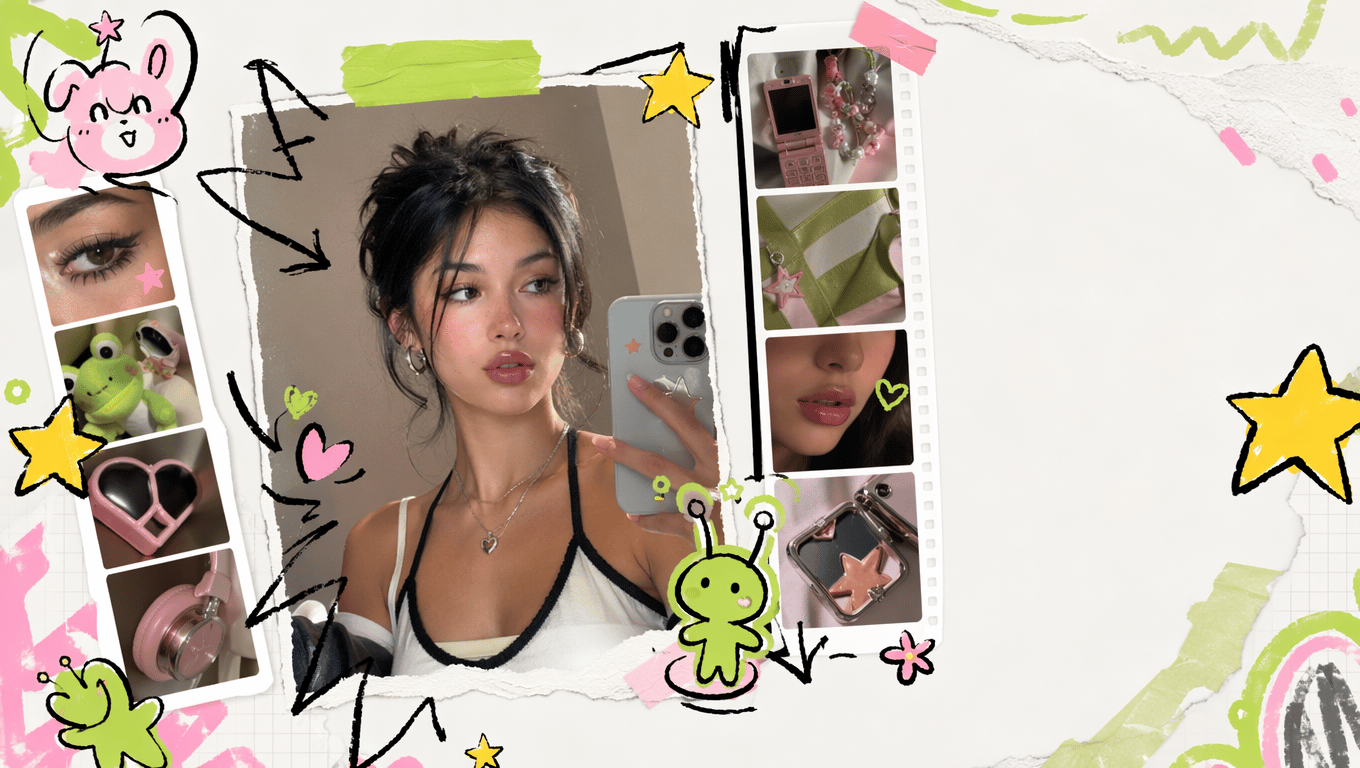
The style in those Pinterest references is best described as a Y2K photo edit with doodle stickers.
It is not a full cartoon conversion. The real photo stays in place. The AI adds hand-drawn stars, marker arrows, sticker borders, tiny original characters, scrapbook tape, rough labels, and photo dump frames around the subject.
That distinction matters for both prompts and SEO. If the prompt says "turn this into a cartoon," the face drifts. If the title only says "doodle photo editor," the search demand is too small. The efficient angle is: Y2K photo edit first, doodle and sticker workflow second.
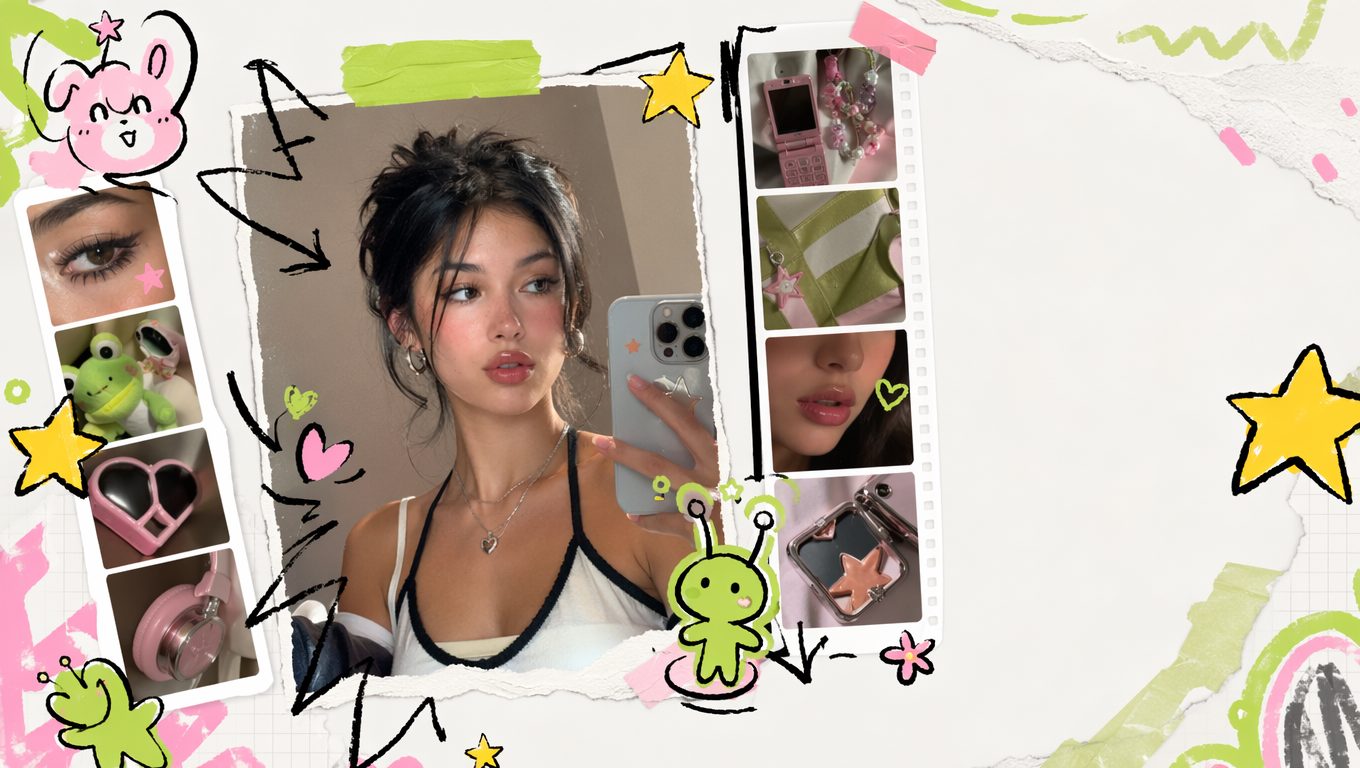
Try a Y2K doodle photo edit
Upload a portrait or OOTD photo, preserve the face, and add doodles, stickers, scrapbook frames, and photo dump details with GPT Image 2.
Open GPT Image 2
TL;DR
Use this style when the photo already works and you want it to feel more social. Start every prompt with identity preservation, then add a controlled doodle layer. Keep the face, pose, clothing, and camera angle unchanged. Limit the stickers to empty space, hair edges, shoulders, hands, clothing seams, and background geometry.
Why this title is the efficient one
I checked DataForSEO Google Ads data for the US market on June 8, 2026 before choosing the title.
| Keyword | US monthly searches | CPC | Competition |
|---|---|---|---|
| y2k photo edit | 720 | $1.56 | Low |
| y2k photo editor | 720 | $1.56 | Low |
| photo doodle | 320 | $0 | Low |
| doodle on photo | 320 | $0 | Low |
| draw on photo editor | 320 | $2.54 | Low |
| sticker photo editor | 210 | $2.34 | Low |
| photo dump template | 140 | $2.40 | Low |
| doodle photo editor | 10 | $0 | Low |
| ai doodle photo editor | 0 | $0 | Not enough data |
So the title should not be "AI Doodle Photo Editor" by itself. That sounds accurate, but it targets a tiny keyword. "Y2K photo edit prompts" is more efficient because it captures the strongest exact-match demand, then the article naturally covers photo doodles, sticker editors, and photo dump layouts.
The discovery-platform signal is stronger than classic Google volume. Pinterest has a Doodle Photo Edit Aesthetic topic page, CapCut has a doodle photo dump template, and TechRadar covered the ChatGPT MS Paint doodle photo trend. That combination is enough for a focused blog page, but not enough to treat doodle as the whole site's main keyword.
Prompt 1: Safe Y2K portrait doodle
Use this when the uploaded photo is a selfie, profile picture, school photo, or clean portrait.
Edit the uploaded portrait into a Y2K photo edit with hand-drawn doodles.

Preserve the person's exact identity, face shape, expression, hair, pose, clothing, lighting, and camera angle. Keep the original photo realistic.

Add a controlled doodle layer around the person:
- chunky hand-drawn stars
- yellow marker arrows
- black ink sticker outlines
- small sparkles near the hair and shoulders
- one original tiny mascot sticker
- two short handwritten labels

Place doodles in empty background space and along safe contour areas. Do not cover the eyes, nose, mouth, hands, or important clothing details. Do not turn the person into a cartoon.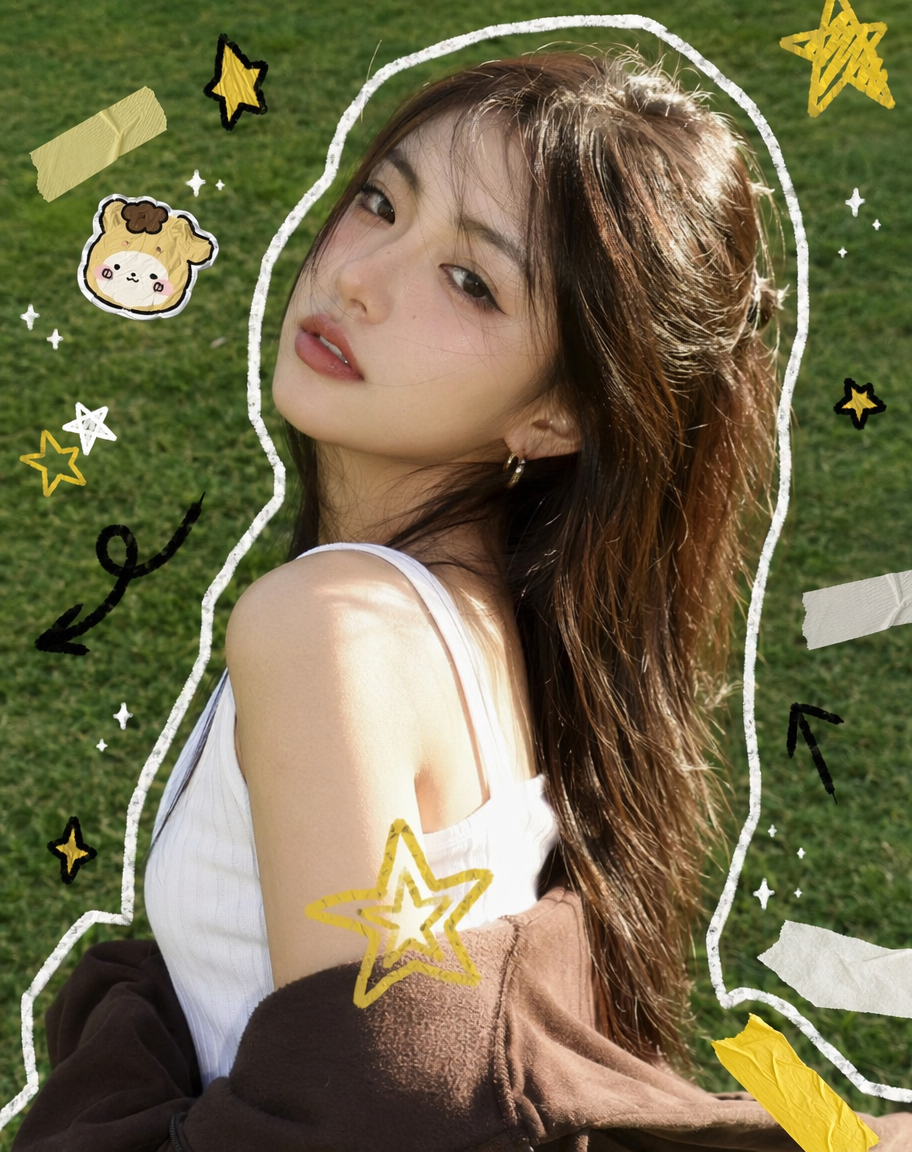
The first paragraph is the safety rail. Without it, many image models redraw the face instead of decorating the photo.
Prompt 2: Photo dump doodle frame
Use this for travel, birthdays, campus days, concerts, sports watch parties, and friends-at-the-park posts.
Turn the uploaded image into a casual photo dump doodle template.

Keep the photo realistic and keep every person unchanged. Add hand-drawn scrapbook frames, rough border lines, date-label areas, tiny arrows, stars, hearts, sticker tabs, and two empty caption boxes.

Mood: casual Instagram and Pinterest photo dump, playful but not messy.
Format: 4:5 vertical post, crop-safe for 9:16 story.
Rules: no face changes, no extra fingers, no unreadable tiny text, no copyrighted stickers, no brand logos.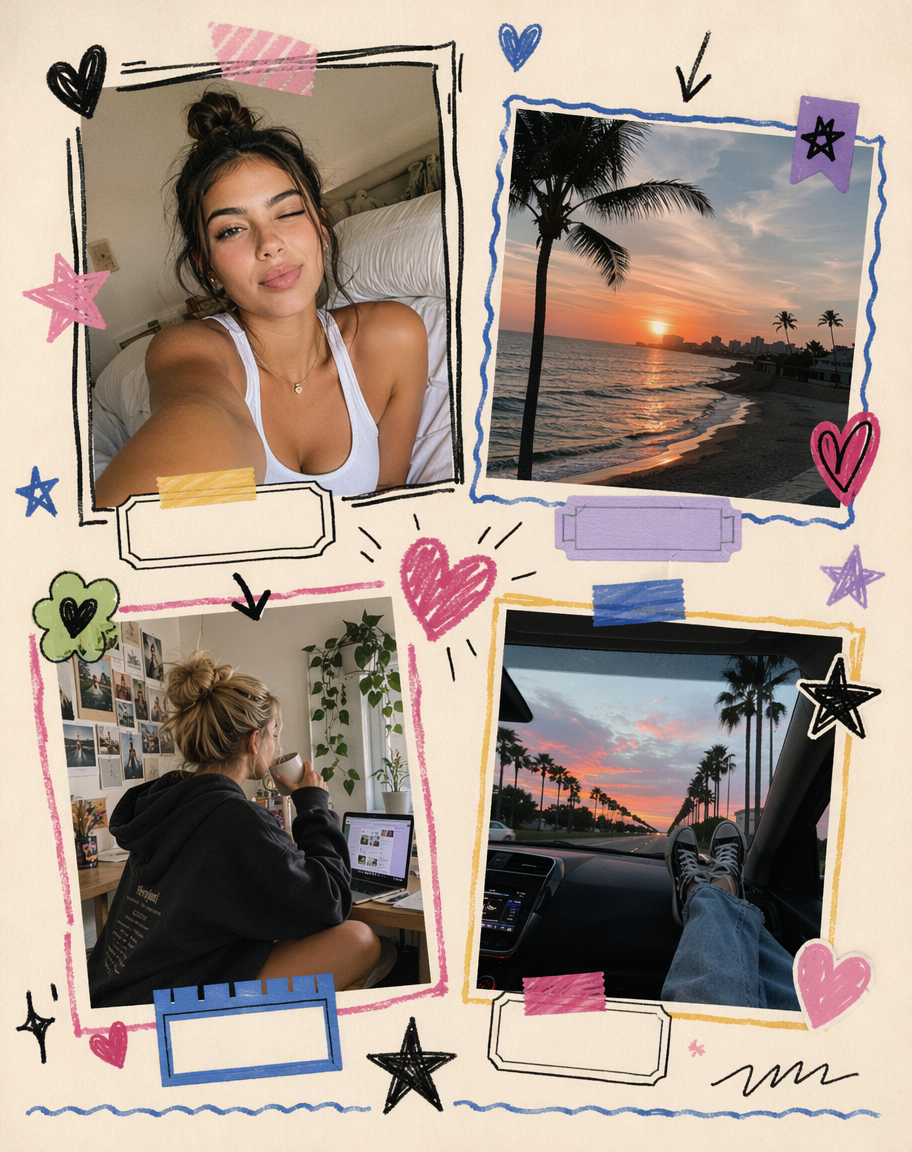
The important phrase is "empty caption boxes." Let AI create the composition, then add final text yourself.
Prompt 3: Sticker collage edit
Use this when the reference board has floating stickers, hand-drawn flowers, hearts, clouds, and cute mini characters.
Create a cute sticker collage photo edit from the uploaded image.

Keep the subject unchanged. Add original hand-drawn sticker elements around the subject: small flowers, hearts, clouds, sparkles, camera icons, tape strips, speech bubbles, and one tiny original character.

Make the stickers look like they were drawn in Procreate with a marker brush, not like stock clip art. Use black ink, warm yellow, lime green, and one soft pink accent.

Keep the image clean enough for a Pinterest pin or Instagram carousel cover.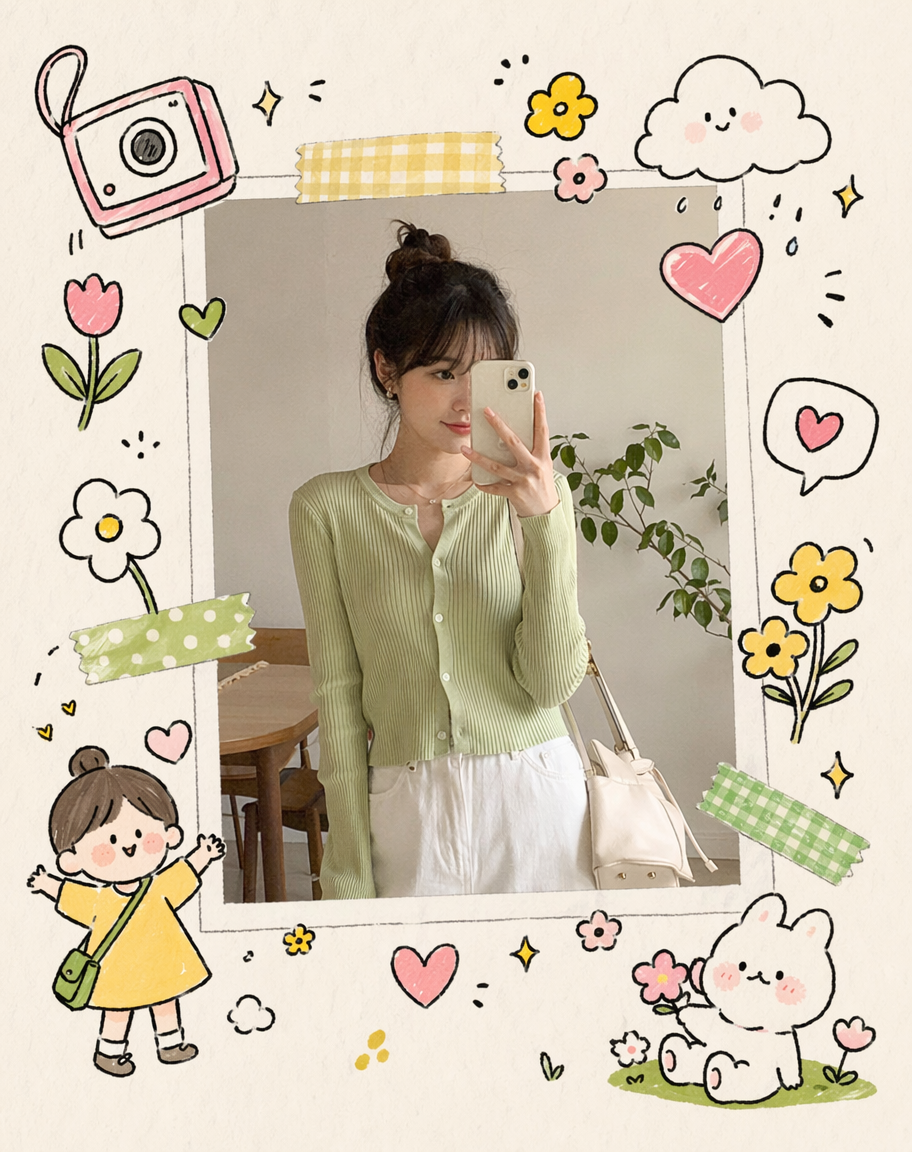
Avoid asking for known anime characters or brand mascots. Ask for an original tiny character instead.
Prompt 4: Minimal white-line doodles
This is the safest version when the photo is already good.
Add minimal white doodle lines to the uploaded photo.

Preserve the original photo completely: face, expression, body shape, hands, clothing, background, lighting, and camera angle.

Add only 8 to 12 small white doodle elements: hearts, music notes, tiny arrows, sparkles, contour lines, and small motion marks. Keep the doodles near empty background space and body contours. Do not cover the face.
This works well for high-quality selfies and outdoor OOTD photos because it does not fight the original image.
Prompt 5: MS Paint bad doodle version
Use this only when the goal is meme content.
Recreate the uploaded photo as an intentionally bad MS Paint-style doodle.

Keep the composition, pose, clothing colors, and major scene recognizable. Use uneven mouse-drawn lines, flat colors, shaky outlines, childish shapes, and awkward handwritten labels.

The result should look funny and deliberately amateur, not polished illustration. Do not make it offensive. Do not copy any copyrighted character.
The MS Paint version is not the same as the pretty Y2K edit. It works because it is intentionally rough.
What goes wrong most often
Face drift is the first failure. The model starts drawing a new person. Add this line:
Preserve the exact face, expression, hair, pose, clothing, and camera perspective from the uploaded image.Sticker spam is the second failure. The whole photo gets filled with random stars. Add this line:
Use only 8 to 12 doodle elements. Anchor each element to the subject, clothing, hands, hair, frame edge, or background geometry.Unreadable AI text is the third failure. Use short labels only: "wow", "cool", "today", "OOTD", "sunny", "keep". Add final copy in an editor if it matters.
Best use cases
- Pinterest-style portrait pins
- Instagram carousel covers
- Xiaohongshu selfie and OOTD covers
- photo dump templates
- school, campus, and friend-group posts
- watch-party photos for NBA or World Cup events
- profile pictures where the face must stay recognizable
- prompt examples for an AI photo editor or image-to-image workflow
This is why the style is useful for growth: it connects high-volume parent intent like "AI photo editor" and "AI image editor" with a low-competition social style page.
FAQ
What is this style called?
Call it a Y2K photo edit, doodle photo edit, sticker collage photo edit, scrapbook photo edit, or photo dump doodle template. The shared pattern is a real photo with a hand-drawn decoration layer.
Is it the same as a cartoon filter?
No. A cartoon filter redraws the whole image. This workflow keeps the original photo and adds doodles around it.
Which title should I use if I publish my own tutorial?
Use "Y2K photo edit prompts" or "Y2K photo editor" in the title, then include doodle, sticker, and photo dump phrases in headings. DataForSEO showed stronger demand for Y2K terms than for "doodle photo editor" as an exact keyword.
Can GPT Image 2 preserve the face?
It can, but the prompt must say that preservation comes first. Put identity, expression, hair, pose, clothing, and camera angle before the decorative instructions.
Can I use copyrighted stickers?
Avoid them unless you own the rights. Use original mascot-like stickers, stars, hearts, arrows, flowers, clouds, tape, and speech bubbles instead.
Frequently asked questions
Do I need a credit card to try GPT Image2 Studio?
No. Every new account starts with 30 credits on signup, then unlocks 30 more after the first successful image. Paid plans only kick in if you want more than the free ceiling.
Can I use the generated images commercially?
Yes. Every tier, including the free starter credits, comes with full commercial rights. Run ads, sell products, print on merchandise, publish on any platform. No watermark, no attribution required.
Which model should I route to for what?
Hero ads and text-heavy creative fit GPT Image 1.5 high. Product and macro texture work fit Nano Banana Pro. High-volume social iteration fits Nano Banana 2. Fast drafts and mood boards fit Z Image. The workbench can route one prompt across all of them.
How fast is a single generation?
Z Image returns in about 10 seconds. Nano Banana 2 often returns in 15 to 20 seconds. Nano Banana Pro and GPT Image 1.5 high usually take 30 to 45 seconds for standard quality, and up to about a minute for 4K high quality.
What's the difference between GPT Image 1.5 high and Nano Banana 2?
GPT Image 1.5 high is stronger for text inside images and premium ad creative. Nano Banana 2 is faster and cheaper. In production, compare both with the same prompt before choosing the final image.
Can I edit an existing image instead of generating from scratch?
Yes. Upload a reference image, then continue with image-to-image, masked edits, background removal, object cleanup, or compression inside the same workflow.
Stop guessing the model.
Run all three.
We route your prompt to GPT Image 1.5 high, Nano Banana 2, Z Image and more — same workbench, same prompt, side-by-side blind compare. 30 credits on signup, another 30 after your first successful image, and commercial rights at every tier.
30 + 30
Free credits
5+
SOTA models
30s
To first render