比赛、文旅、市集活动海报怎么做?我用 AI 跑了 5 个真实场景
用 GPT Image 2 做活动宣传海报的实战文章:比赛海报、城市文旅海报、市集海报、篮球赛海报和创业大赛海报怎么写提示词、怎么排信息、怎么做得像能发布的活动主视觉。

Sarah Thompson
·2 min read
我之前差点把活动海报写成产品促销海报。
这是两个完全不同的东西。
产品海报的主角是商品,用户先看“卖什么”。 活动海报的主角是现场,用户先问“我为什么要去”。
所以一张活动宣传海报不能只追求好看。
它必须在两秒内讲清楚四件事:
- 这是什么活动
- 什么时候发生
- 在哪里发生
- 我去了能得到什么体验
这也是我这次用 GPT Image 2 跑活动海报时,最明显的感受。
如果只写“帮我做一张高级活动海报”,画面可能会很漂亮,但它像一张空的背景图。 如果你把活动类型、人群、城市记忆和信息位置说清楚,它就会更接近一张能发公众号、朋友圈、小红书、视频号和线下展架的宣传主视觉。
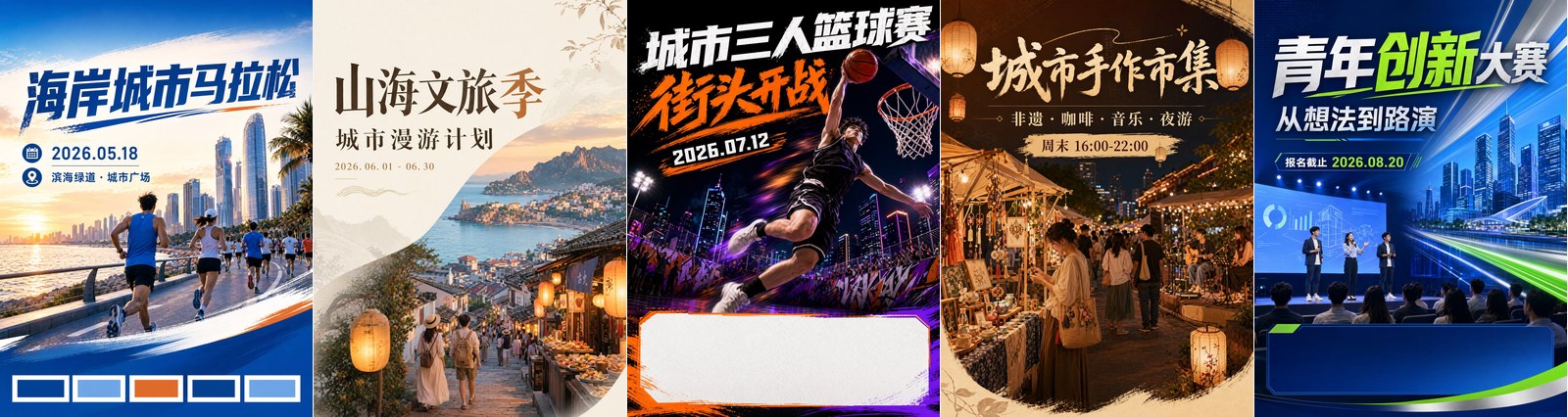
我这次做了 5 个真实运营里最常见的场景:
- 城市马拉松比赛海报
- 城市文旅季海报
- 街头三人篮球赛海报
- 城市手作市集海报
- 青年创新创业大赛海报
这篇文章不是教你做一张“AI 感很强”的图。
我想讲的是:怎么让 AI 生成的活动海报更像一个运营团队真的会拿去用的第一版设计。
直接打开活动宣传海报模板
用 GPT Image 2 做一张 3:4 竖版活动海报,适合比赛、文旅、市集、论坛和校园活动。
第一件事:先写“活动感”,不要先写“高级感”
很多提示词失败,是因为一上来就写:
高级、震撼、大气、商业海报、视觉冲击力。这些词没错,但太空。
活动海报真正有用的词,通常更具体:
- 跑者冲过滨海赛道
- 年轻游客走进老街夜市
- 篮球少年在城市广场起跳
- 手作摊位亮起暖色灯串
- 创业者在路演舞台展示产品
你看,第二组词不只是形容风格。
它直接给了画面一个事件。
AI 做活动海报时,最怕没有事件。没有事件,海报就会变成背景图。
1. 比赛海报:先让画面动起来
比赛类海报最怕静。
马拉松、篮球赛、街舞赛、电竞赛、校园运动会,核心都是“正在发生”。
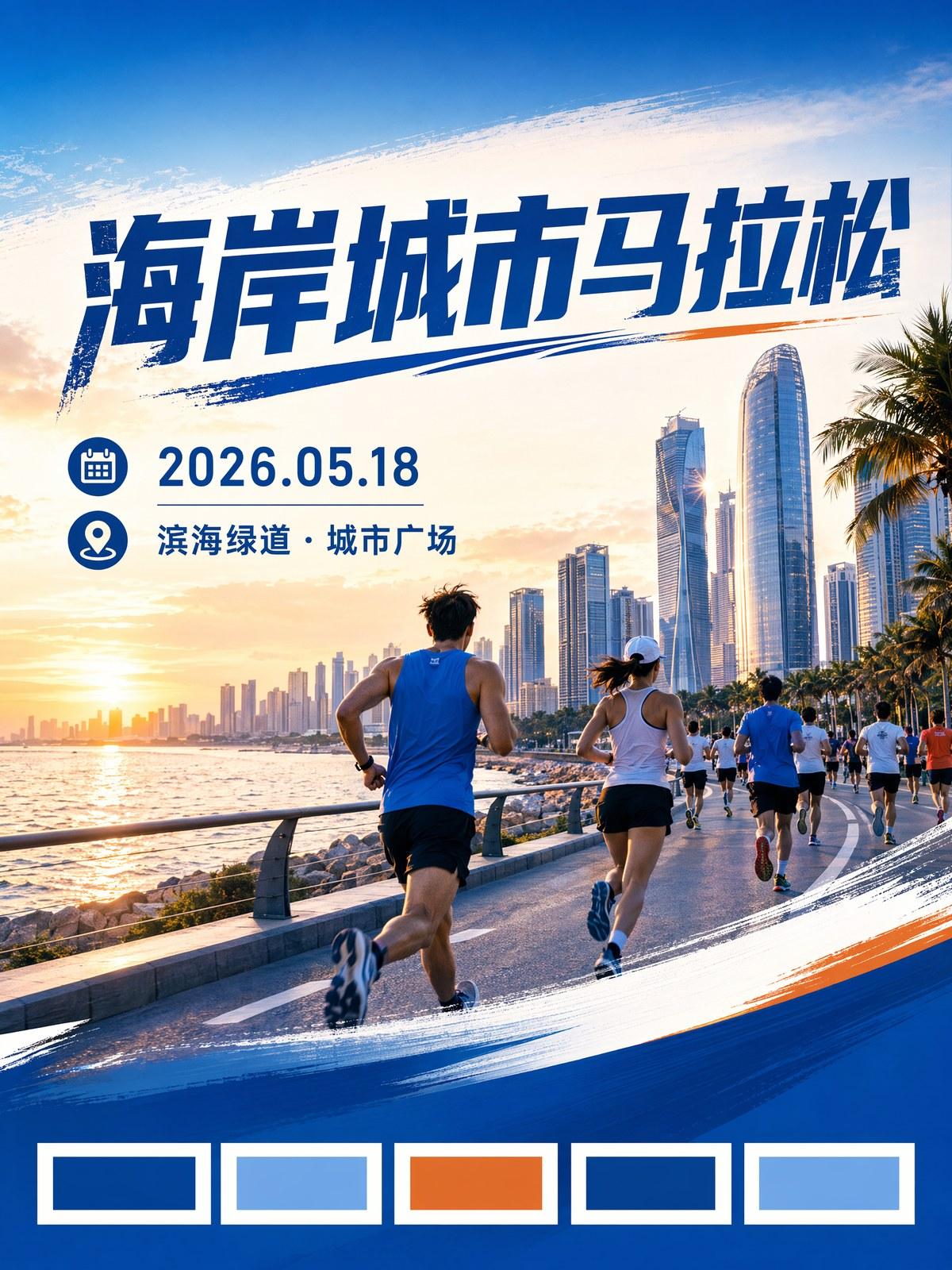
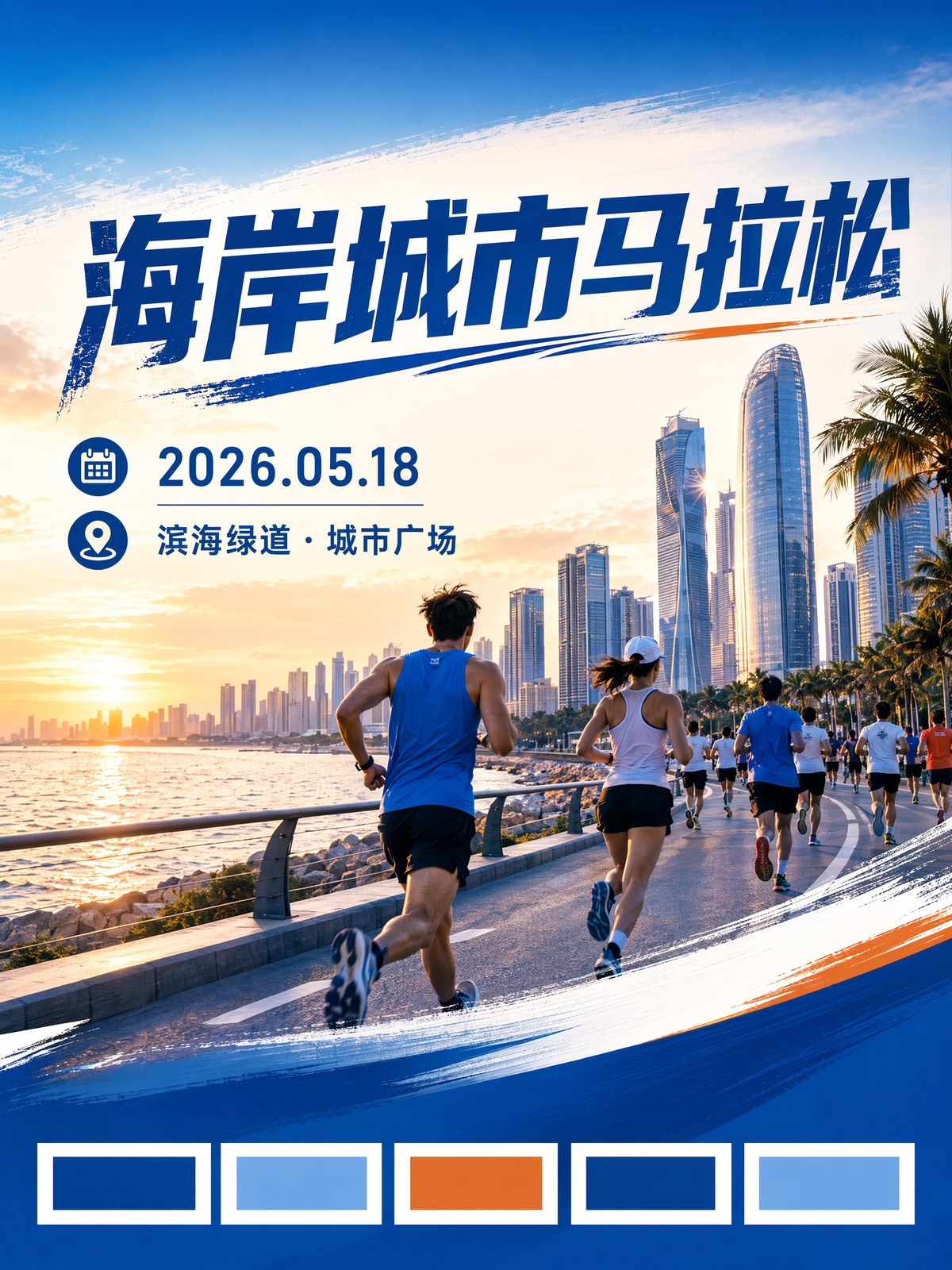
我做城市马拉松这张时,重点不是把城市天际线画得多漂亮,而是让跑者有方向,让光线有速度,让用户一眼知道:这是一个可以报名、可以参与、可以到现场的活动。
你可以直接这样写:
Create a vertical 3:4 Chinese sports event poster.

Event:
City marathon registration campaign.

Scene:
Runners moving forward at sunrise, coastal city skyline in the background, energetic crowd, dynamic diagonal composition.

Design:
Large Chinese title area at the top, date and location line below, clean information area near the bottom, civic blue and warm orange palette.
这里最重要的是动词:moving forward。
如果你做篮球赛,可以换成:
Street basketball tournament, player jumping for a dunk, night court lights, cheering crowd, bold youth sports poster.如果你做舞蹈比赛,可以换成:
Street dance battle, dancer frozen mid-air, urban stage lights, energetic audience, bold competition poster.比赛海报不要只写“热血”。
把“谁在做什么动作”写出来,画面马上会更像活动。
2. 城市文旅海报:不要只做风景图,要做“周末想去”
文旅海报最容易跑偏。
因为 AI 很擅长生成漂亮风景。
但漂亮风景不等于活动宣传。
城市文旅海报要让人产生一个很具体的念头:
这个周末我想去那里。
所以提示词里要写城市记忆,而不是只写“美丽城市”。
比如:
- 老街灯笼
- 海边日落
- 夜游路线
- 非遗手作
- 本地小吃
- 城市漫步
- 山海路线
- 音乐市集
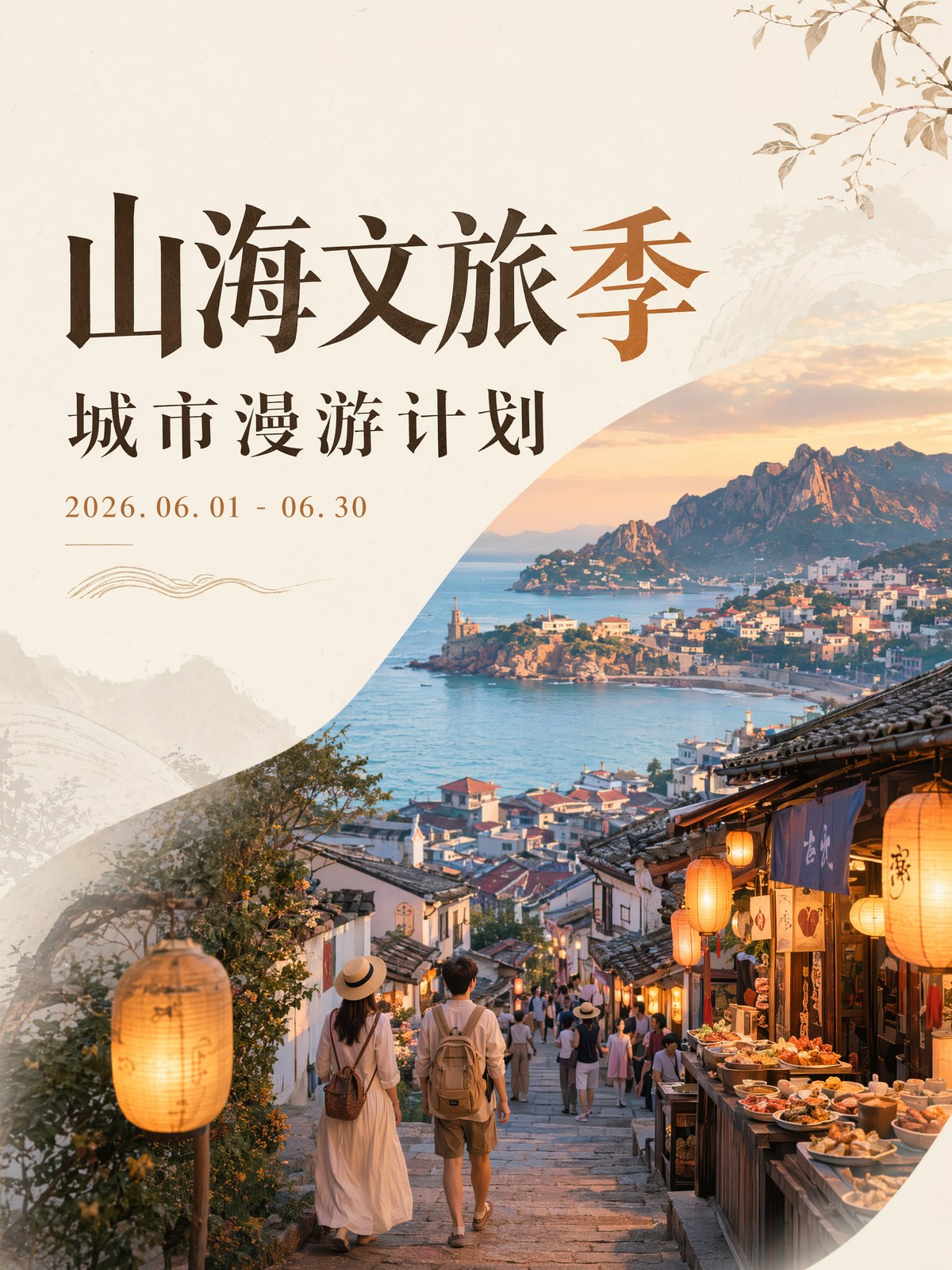
我会这样写:
Create a vertical 3:4 Chinese culture and tourism event poster.

Event:
Weekend city-walk and culture tourism season.

Scene:
Old town stone streets, warm lanterns, street food stalls, young travelers, coastal light, local craft booths.

Design:
Elegant title area, short subtitle, date range, location line, warm refined editorial poster style.
这类海报的关键词不是“景点”。
是“路线、夜游、街巷、食物、灯光、人群”。
它要让用户觉得自己能走进去,而不是只是在看一张城市宣传照。
3. 市集海报:不要堆摊位,要给参与理由
市集、露营节、音乐夜、读书会、艺术展这类活动,最常见的问题是画面很有氛围,但用户不知道里面有什么。
比如“城市手作市集”这几个字太泛。
你要写清楚它到底有什么:
- 手作皮具
- 陶艺体验
- 咖啡摊
- 原创插画
- 民谣演出
- 夜间灯串
- 亲子互动
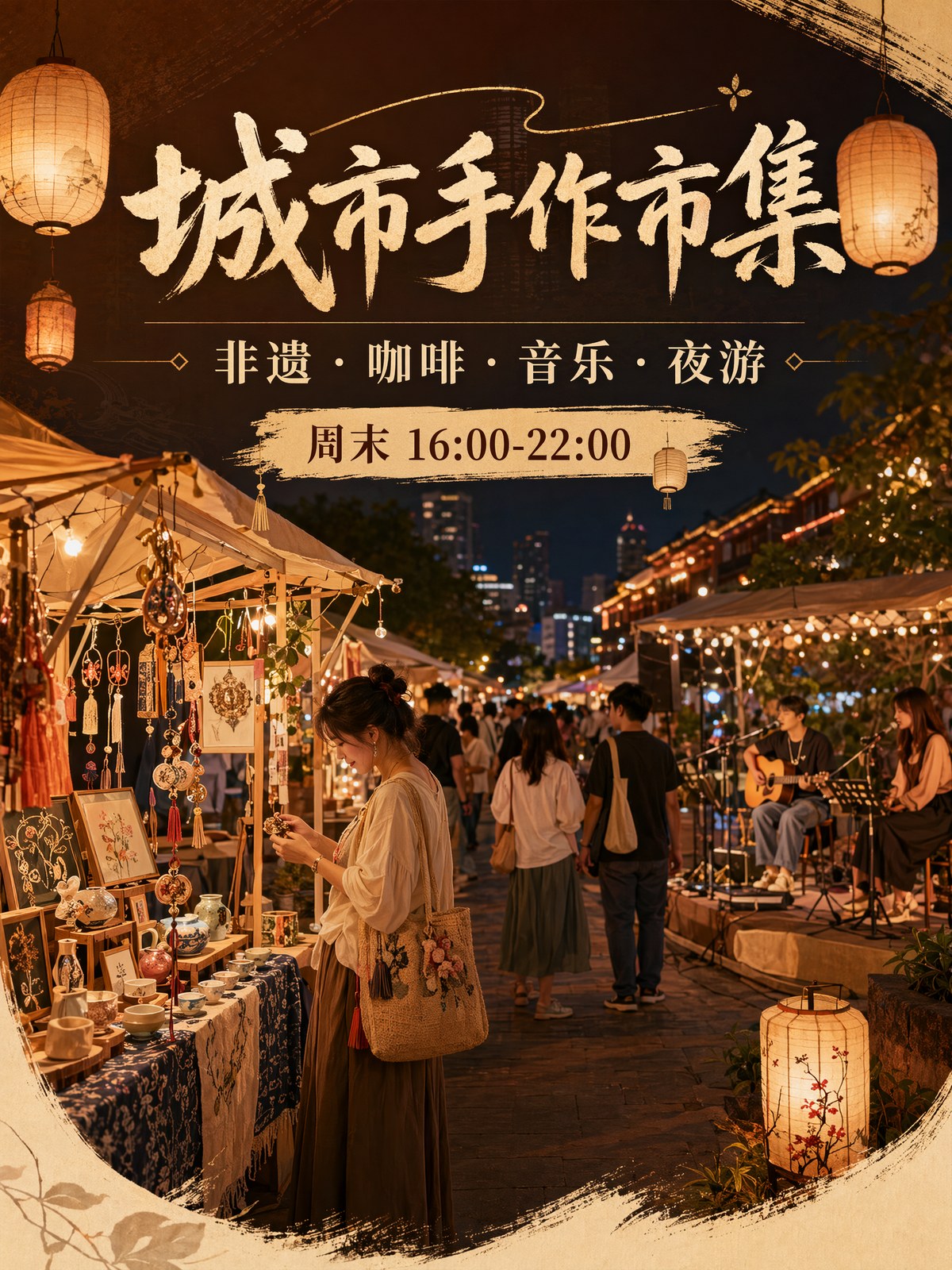
可以直接用这段:
Create a warm vertical 3:4 Chinese offline event poster for a creative market.

Event content:
Handmade crafts, coffee booths, acoustic music, illustration stalls, weekend lifestyle market.

Audience:
Young city visitors, local families, design lovers.

Scene:
Evening market booths, paper lanterns, craft tables, people browsing, warm friendly atmosphere.

Design:
Main title at the top, four short content tags, date and location line, modern lifestyle poster.
市集海报的吸引力,不是“很多摊位”。
是用户看完会想:这里好像挺适合我去逛一圈。
4. 篮球赛海报:适合做短视频封面感
三人篮球、校园联赛、城市挑战赛,很适合用更强的视觉冲击。
这类海报可以比文旅海报更吵一点。
大标题、大动作、强光影、城市夜景,都能用。
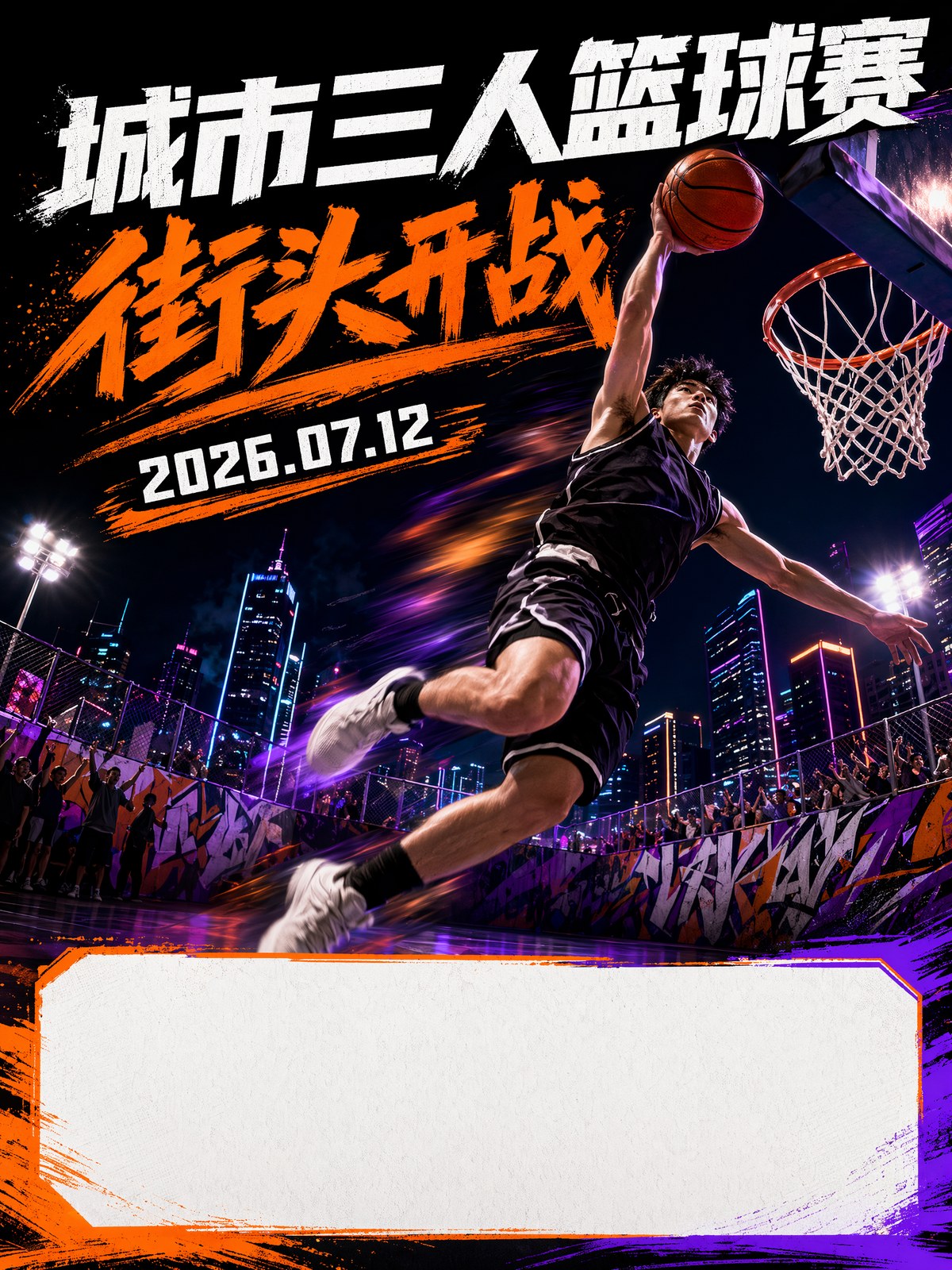
提示词:
Create a vertical 3:4 Chinese street basketball tournament poster.

Scene:
A player jumping under outdoor court lights, urban square at night, friends cheering, energetic youth sports atmosphere.

Design:
Huge readable headline area, bold yellow and black color contrast, date and venue line, poster style suitable for short-video cover.
如果你做的是电竞赛、街舞赛、校园歌手大赛,这个结构也能复用。
把运动动作换成舞台动作,把球场换成舞台或电竞场馆就行。
5. 创业大赛海报:别做成蓝色科幻片
创业大赛、论坛、路演、园区活动、招商会,AI 很容易生成成一堆蓝色光效。
看起来科技感很强,但不真实。
我更喜欢让画面像真实活动现场:
- 路演舞台
- 大屏幕
- 观众席
- 年轻创业者
- 评委席
- 城市科技园区
- 报名截止信息区
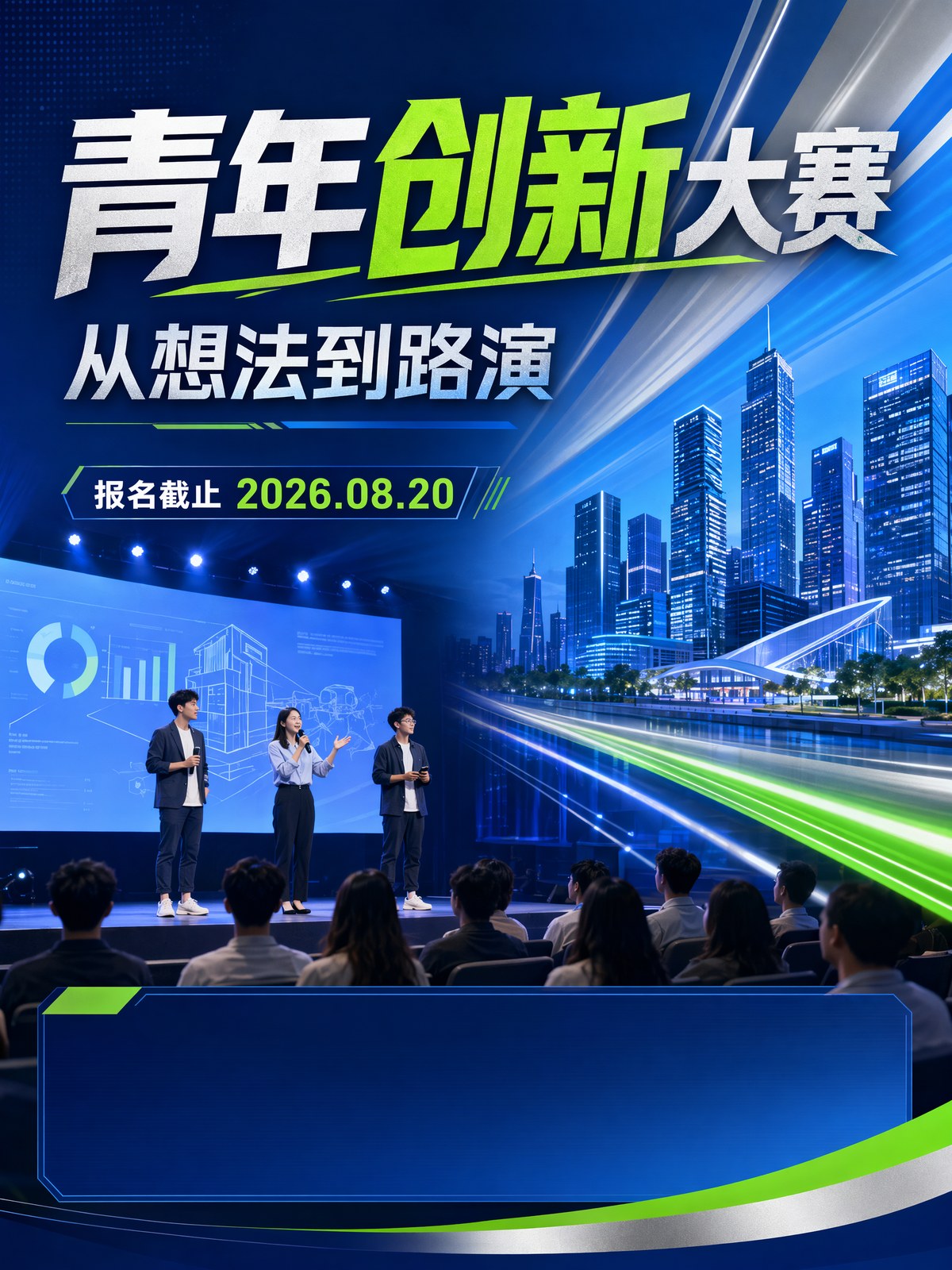
可以这样写:
Create a professional vertical 3:4 Chinese innovation competition poster.

Event:
Youth innovation and startup pitch contest.

Scene:
Young founders presenting on a modern auditorium stage, audience silhouettes, clean projection screen, city technology district atmosphere.

Design:
Confident blue, silver and green palette, clean conference poster hierarchy, space for agenda and registration deadline.
正式活动不需要每一张都“炸”。
它更需要信任感:看起来像真的会有主办方、参赛者和观众到场。
中文活动海报,文字越短越稳
我现在做中文活动海报,会把文字压到很短。
最适合让 AI 尝试的,是这些:
| 信息 | 建议长度 |
|---|---|
| 主标题 | 4-8 个字 |
| 副标题 | 8-14 个字 |
| 日期 | 一行 |
| 地点 | 一行 |
| 内容标签 | 3-4 个短词 |
比如:
- 城市漫游季
- 周末去海边
- 街头篮球夜
- 青年创新赛
- 手作生活集
活动规则、报名说明、主办方信息、二维码,我更建议后期自己加。
AI 先负责主视觉和排版方向,人再负责最后的准确信息。
我会怎么跑一张活动海报
我的顺序很简单:
- 先确定活动类型:比赛、文旅、市集、论坛还是校园活动。
- 写一句核心吸引点:为什么用户想来。
- 写清楚场景:城市、时间、人物动作和氛围。
- 指定信息区域:标题、日期、地点、报名位置。
- 生成 4 张,先选最像“能发布”的那张。
- 最后再用设计工具补真实文字和二维码。
这套方法不复杂,但很管用。
因为活动海报不需要 AI 帮你编完整活动。
它只需要帮你把活动最吸引人的那一刻先画出来。
The Bottom Line
活动宣传海报真正要解决的,不是“做得高级”。
它要解决的是:
用户看两秒,愿不愿意多看一眼,甚至想不想去现场。
比赛海报要有动作。 文旅海报要有城市记忆。 市集海报要有参与理由。 创业大赛海报要有信任感。
把这四件事写进提示词,GPT Image 2 生成出来的就不再只是漂亮图,而是一张可以进入真实活动运营流程的宣传海报。
常见问题
试用 GPT Image2 Studio 需要银行卡吗?
不需要。新账号注册即可获得 30 点数,首次成功生成后还能再解锁 30 点数。只有需要更多用量时才需要选择付费方案。
生成图片可以商用吗?
可以。包括免费启动点数在内,每个档位都包含商用授权。可用于广告、商品页、印刷物和社媒内容,无水印,也不强制署名。
不同模型适合什么任务?
广告主视觉和含文字创意优先用 GPT Image 1.5 high;商品质感和微距细节适合 Nano Banana Pro;大量社媒迭代适合 Nano Banana 2;快速草图和情绪板可以用 Z Image。工作台可以让同一个提示词同时跑多个模型。
单张生成通常需要多久?
Z Image 通常约 10 秒返回;Nano Banana 2 约 15 到 20 秒;Nano Banana Pro 和 GPT Image 1.5 high 标准质量通常 30 到 45 秒,4K 高质量可能接近 1 分钟。
GPT Image 1.5 high 和 Nano Banana 2 有什么差别?
GPT Image 1.5 high 更适合图中文字和高要求广告创意;Nano Banana 2 更快,成本也更低。实际生产中建议同一提示词并排比较,再选最稳的结果。
可以编辑已有图片吗?
可以。上传参考图后,可以做图生图、局部重绘、去背景、擦除和压缩,让同一张图继续完成后续交付。