I Made 5 Event Posters With AI: Sports, Tourism, Markets, and Startup Competitions
A practical GPT Image 2 guide for event posters: how to create sports posters, city tourism posters, market posters, basketball posters, and startup competition posters that look ready for real promotion.

Sarah Thompson
·6 min read
I used to treat event posters like product posters.
That was the mistake.
A product poster sells an object. An event poster sells a moment.
When someone sees an event poster, they are not only asking, "Does this look nice?"
They are asking:
- What is happening?
- When is it?
- Where is it?
- Why would I go?
That is why generic prompts fail so fast.
If you type "make a premium event poster," GPT Image 2 can give you a polished image. But it often feels empty. It looks like a background waiting for a real event.
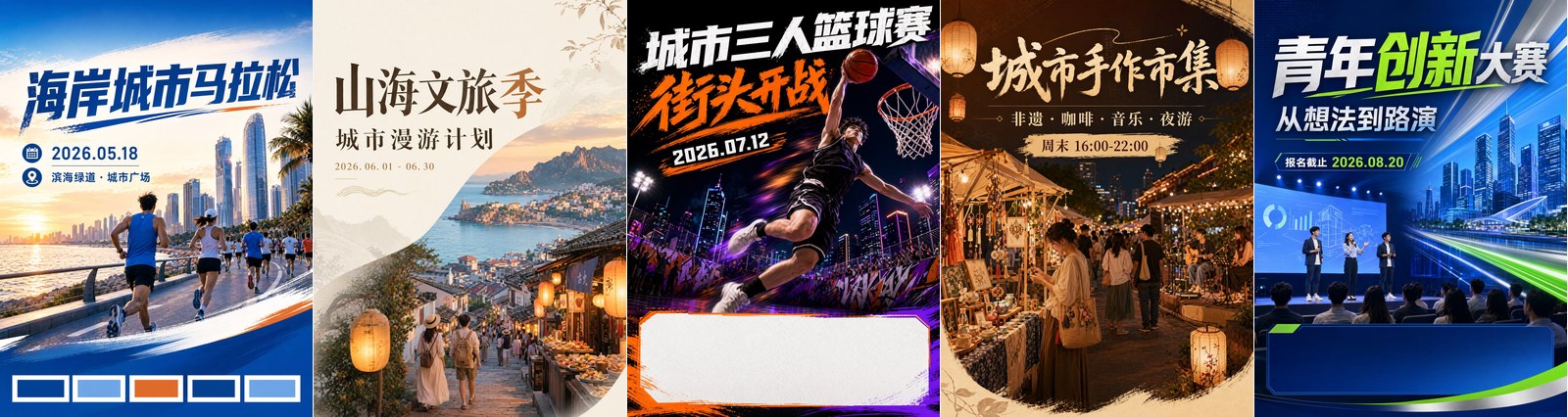
So I tested five event-poster scenarios that real marketing teams actually need:
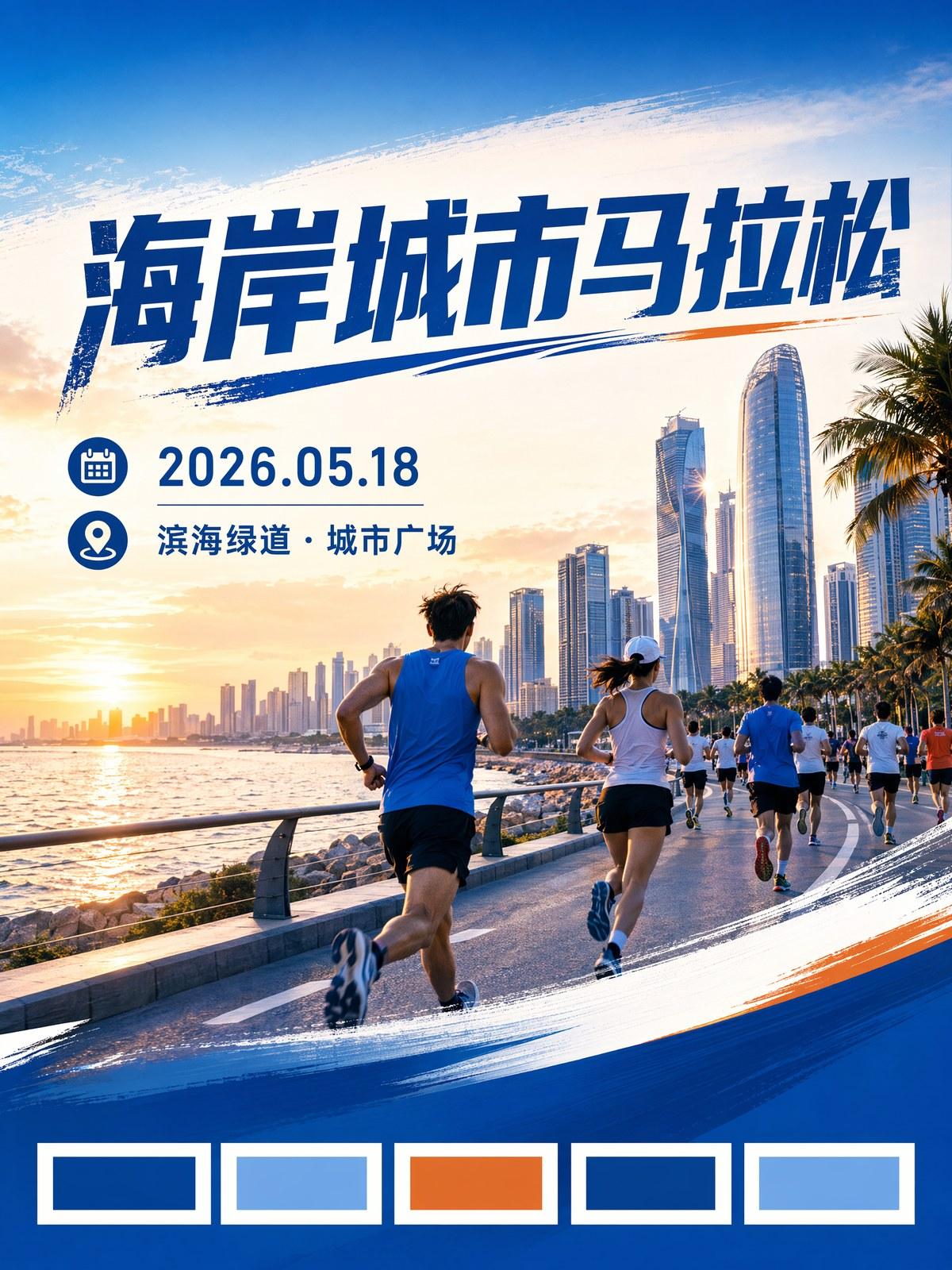
- A city marathon poster
- A city tourism season poster
- A street basketball tournament poster
- A creative market poster
- A youth startup competition poster
Here is what I learned.
The best AI event posters do not start with style. They start with participation.
Open the event poster template
Start with a vertical 3:4 GPT Image 2 prompt for sports, tourism, markets, conferences, and campus events.
Start With the Event, Not the Style
Most weak prompts sound like this:
Premium, cinematic, high-impact, modern campaign poster, visually stunning.Those words are not useless, but they are not enough.
The useful words are more specific:
- Runners crossing a coastal road at sunrise
- Young travelers walking through an old-town night market
- A basketball player jumping under city lights
- Handmade booths glowing with warm string lights
- Founders pitching on a stage in front of an audience
Now the image has something to do.
That is the difference between a poster and a pretty background.
1. Sports Posters Need Motion
Sports event posters need verbs.
Running, jumping, dunking, sprinting, cheering, crossing the line.
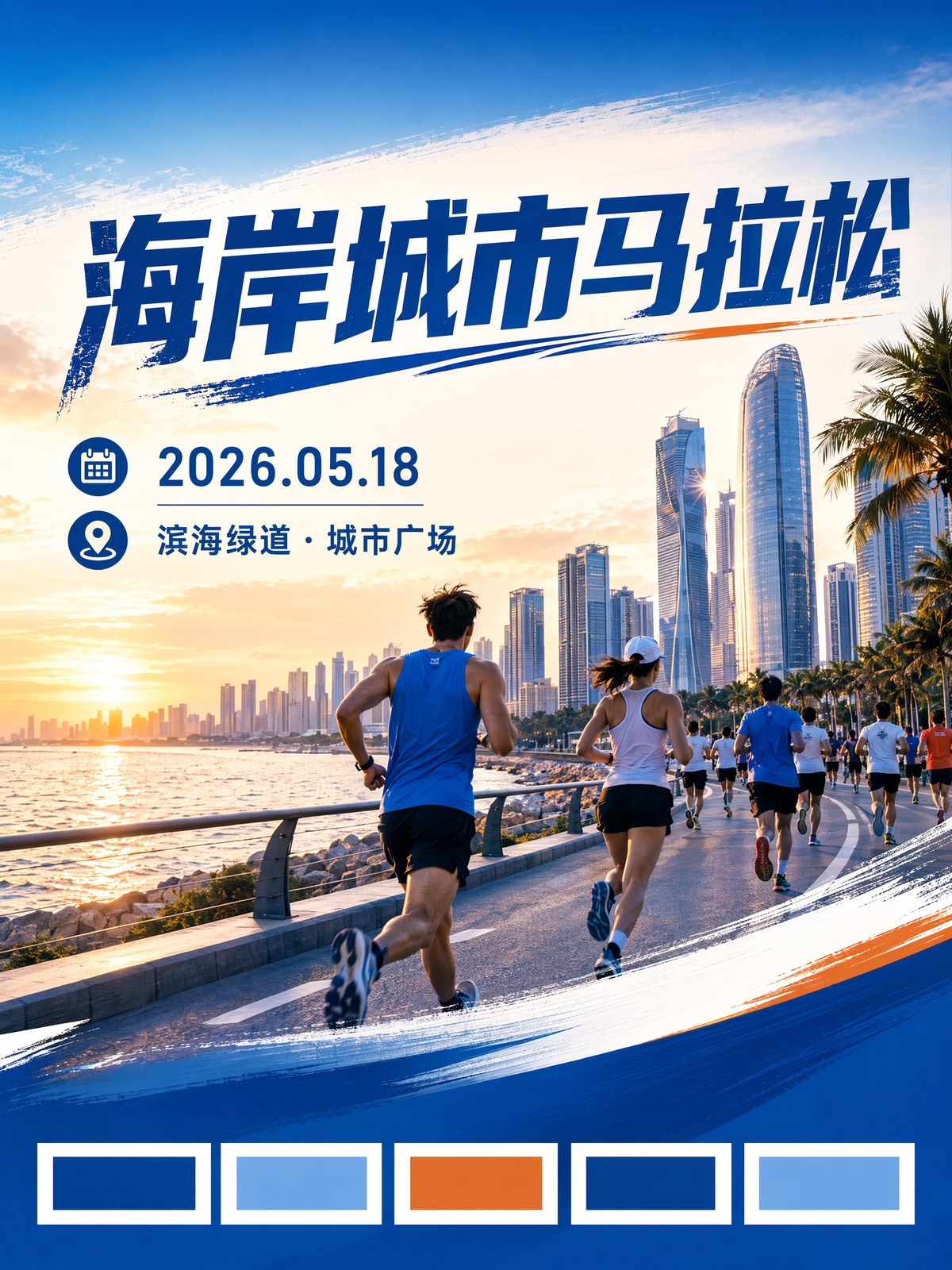
The city marathon poster worked because the scene moves forward. The runners are not posing. The road has direction. The sunrise gives the poster a start time.
You can use this:
Create a vertical 3:4 sports event poster.

Event:
City marathon registration campaign.

Scene:
Runners moving forward at sunrise, coastal city skyline in the background, energetic crowd, dynamic diagonal composition.

Design:
Large title area at the top, date and location line below, clean information area near the bottom, civic blue and warm orange palette.
For basketball, swap the scene:
Street basketball tournament, player jumping for a dunk, night court lights, cheering crowd, bold youth sports poster.The rule is simple: do not describe sports as a theme. Describe the action.
2. Tourism Posters Need a Memory
Tourism posters can easily become beautiful travel stock images.
But a city tourism poster has to make people think:
I want to go there this weekend.
That means the prompt needs local memory, not just scenery.
Think old streets, lanterns, food stalls, walking routes, seasonal flowers, coastal light, craft booths, and night tours.
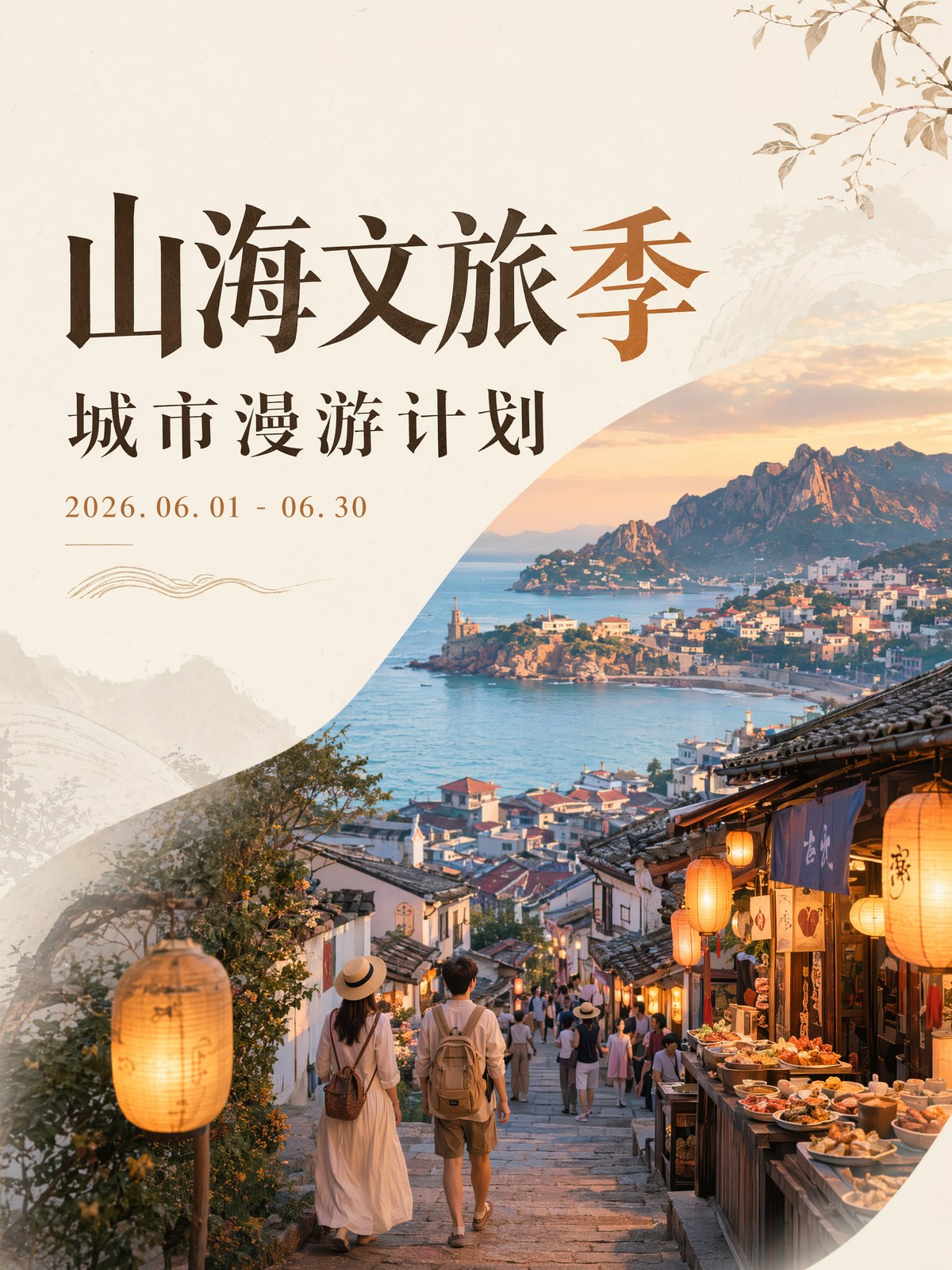
Try this:
Create a vertical 3:4 culture and tourism event poster.

Event:
Weekend city-walk and culture tourism season.

Scene:
Old town stone streets, warm lanterns, street food stalls, young travelers, coastal light, local craft booths.

Design:
Elegant title area, short subtitle, date range, location line, warm refined editorial poster style.
The poster should feel walkable.
Not just "look at this place." More like "come here after work on Friday."
3. Market Posters Need a Reason to Show Up
Creative markets, art fairs, book events, camping festivals, and music nights often have the same problem.
The mood is nice, but the reason to go is vague.
"Creative market" is not enough.
Name what people can actually do:
- Handmade leather goods
- Pottery workshops
- Coffee booths
- Illustration stalls
- Acoustic music
- Night lights
- Family activities
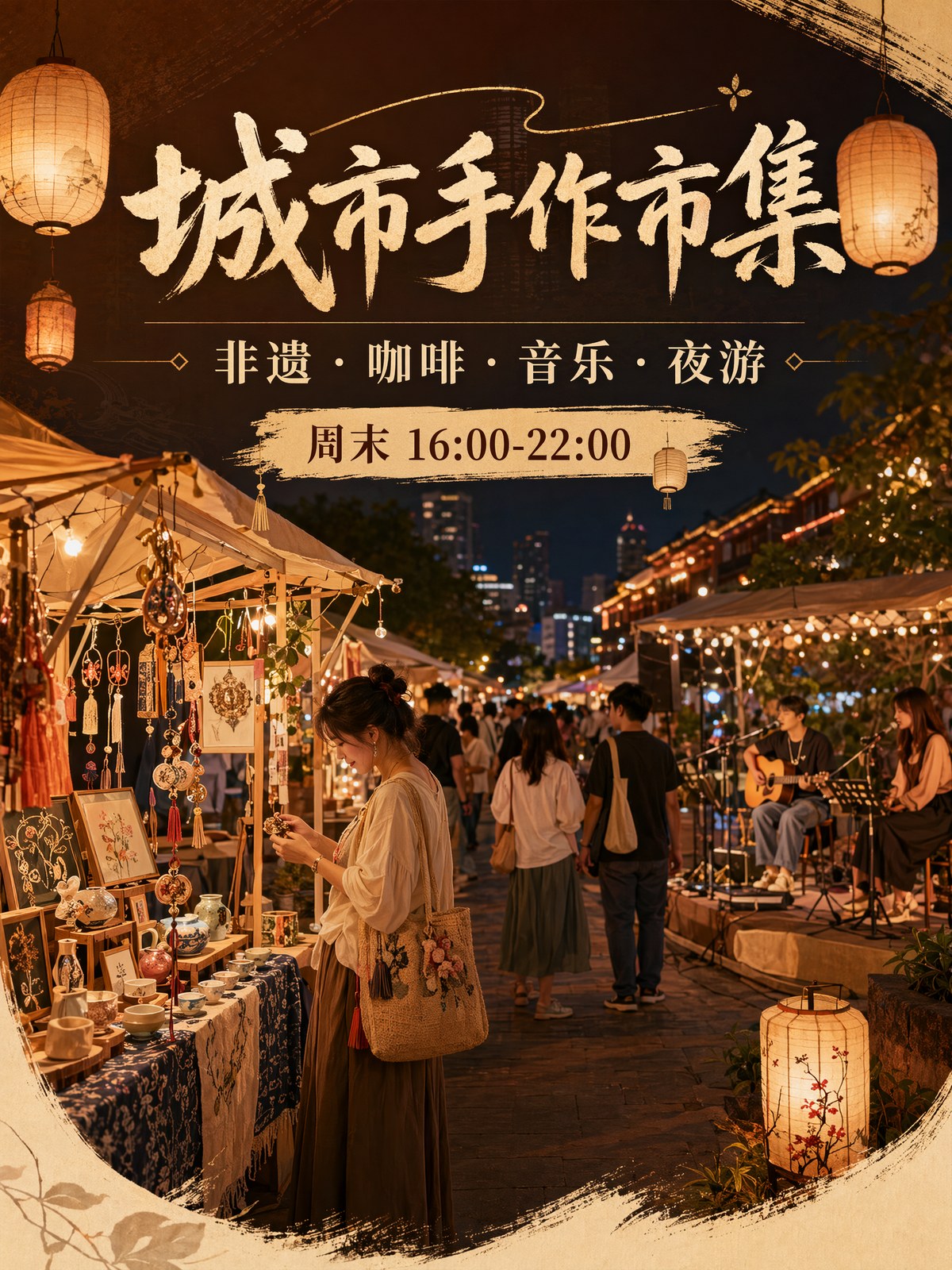
Use this:
Create a warm vertical 3:4 offline event poster for a creative market.

Event content:
Handmade crafts, coffee booths, acoustic music, illustration stalls, weekend lifestyle market.

Audience:
Young city visitors, local families, design lovers.

Scene:
Evening market booths, paper lanterns, craft tables, people browsing, warm friendly atmosphere.

Design:
Main title at the top, four short content tags, date and location line, modern lifestyle poster.
The goal is not "many booths."
The goal is: "This looks like a place I would enjoy walking through."
4. Basketball Posters Can Feel Like Video Covers
Street basketball, campus leagues, city challenges, dance battles, and gaming events can be louder.
Big type, strong contrast, night lights, and fast action all work here.
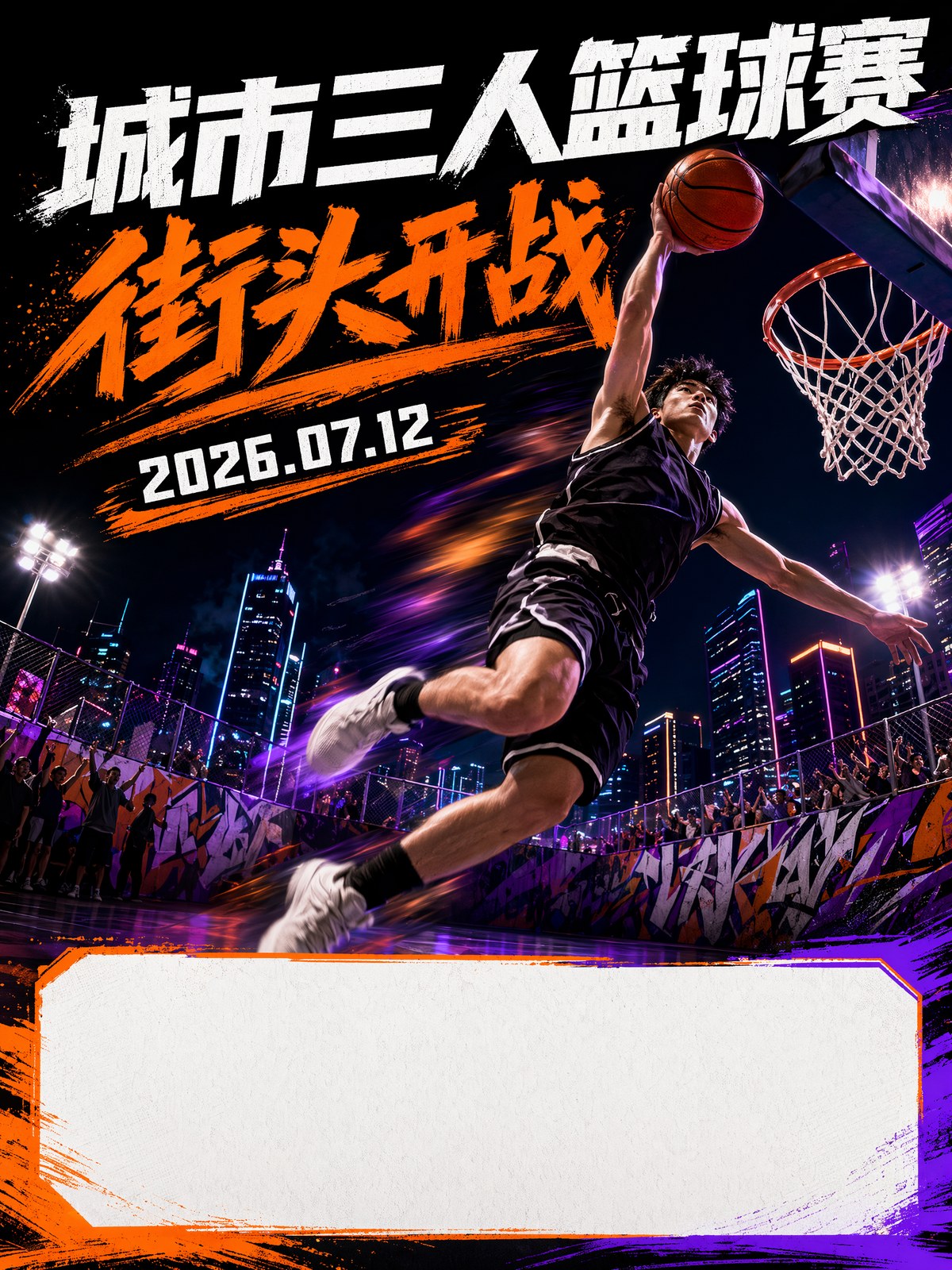
Prompt:
Create a vertical 3:4 street basketball tournament poster.

Scene:
A player jumping under outdoor court lights, urban square at night, friends cheering, energetic youth sports atmosphere.

Design:
Huge readable headline area, bold yellow and black color contrast, date and venue line, poster style suitable for a short-video cover.
This same structure works for dance battles, esports nights, school competitions, and creator meetups.
Just change the action and the venue.
5. Startup Competition Posters Need Trust
Startup competitions, industry forums, campus demo days, and park events should not all look like blue sci-fi movies.
That is the easiest trap.
Instead, make the scene feel like a real event:
- Pitch stage
- Projection screen
- Audience silhouettes
- Young founders
- Judge table
- City tech district
- Registration deadline area
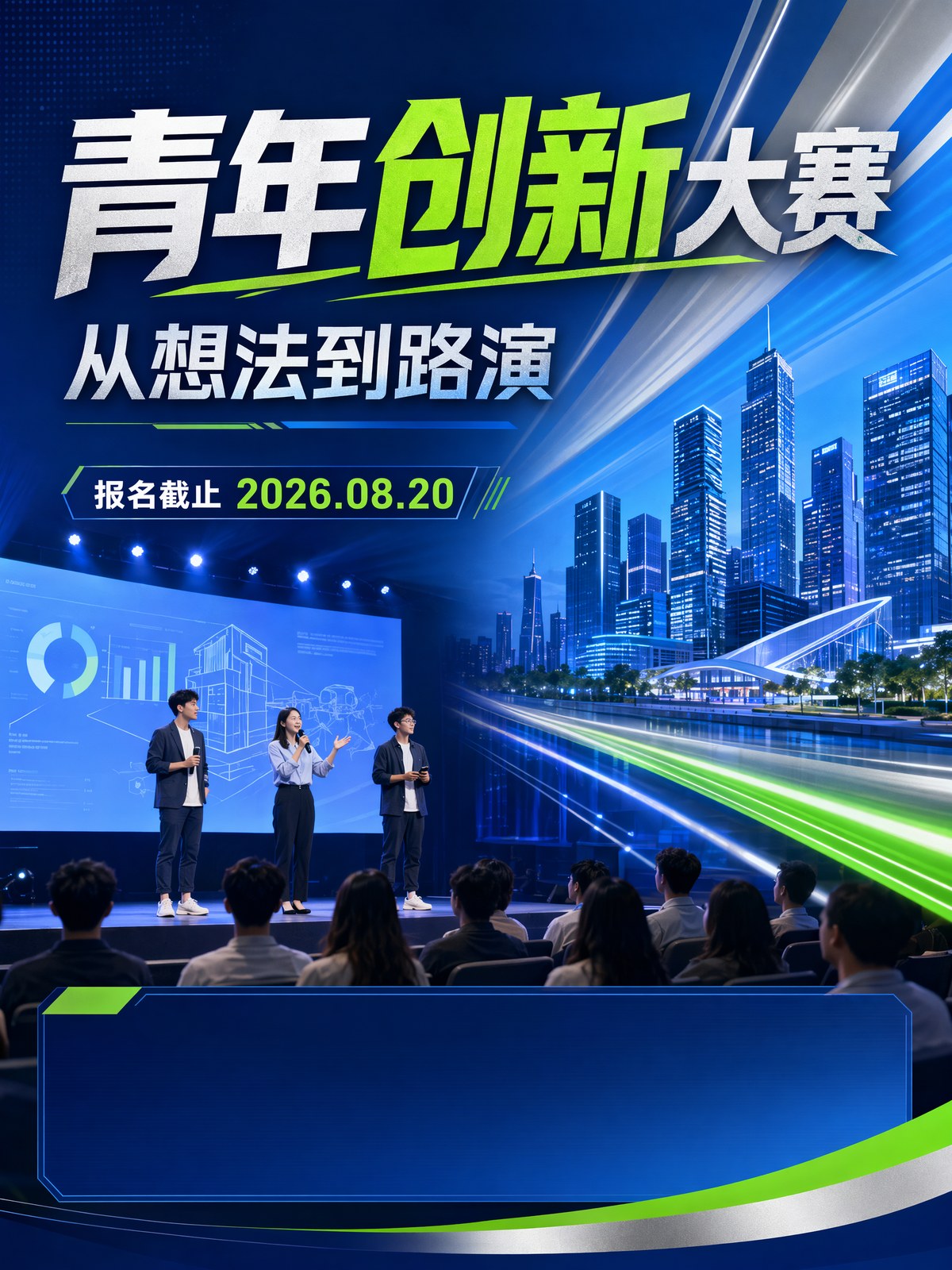
Try this:
Create a professional vertical 3:4 innovation competition poster.

Event:
Youth innovation and startup pitch contest.

Scene:
Young founders presenting on a modern auditorium stage, audience silhouettes, clean projection screen, city technology district atmosphere.

Design:
Confident blue, silver and green palette, clean conference poster hierarchy, space for agenda and registration deadline.
For formal events, restraint is part of the design.
The poster should feel credible before it feels flashy.
Keep Event Text Short
AI can help with poster typography, but short text works best.
Here is the range I use:
| Information | Best Length |
|---|---|
| Main title | 2-5 words |
| Subtitle | 4-10 words |
| Date | One line |
| Venue | One line |
| Content tags | 3-4 short labels |
I let the model create the visual direction first.
Then I add final event details, registration copy, logos, and QR codes manually.
That keeps the poster useful without trusting the image model with every final detail.
My Event Poster Workflow
Here is my simple order:
- Pick the event type: sports, tourism, market, conference, or campus.
- Write the reason someone would care.
- Describe the scene with people, action, city, and time of day.
- Ask for clear areas for title, date, venue, and registration.
- Generate 4 options and keep the one that feels ready to publish.
- Add final text and registration details in a design tool.
The point is not to make AI invent the event.
The point is to make AI visualize the most attractive moment of the event.
The Bottom Line
An event poster does not win because it looks expensive.
It wins when someone sees it for two seconds and wants to know more.
Sports posters need action. Tourism posters need local memory. Market posters need a reason to show up. Startup competition posters need trust.
Put those into the prompt, and GPT Image 2 becomes much more useful than a generic poster generator. It becomes a fast way to turn an event idea into a publishable visual direction.
Frequently asked questions
Do I need a credit card to try GPT Image2 Studio?
No. Every new account starts with 30 credits on signup, then unlocks 30 more after the first successful image. Paid plans only kick in if you want more than the free ceiling.
Can I use the generated images commercially?
Yes. Every tier, including the free starter credits, comes with full commercial rights. Run ads, sell products, print on merchandise, publish on any platform. No watermark, no attribution required.
Which model should I route to for what?
Hero ads and text-heavy creative fit GPT Image 1.5 high. Product and macro texture work fit Nano Banana Pro. High-volume social iteration fits Nano Banana 2. Fast drafts and mood boards fit Z Image. The workbench can route one prompt across all of them.
How fast is a single generation?
Z Image returns in about 10 seconds. Nano Banana 2 often returns in 15 to 20 seconds. Nano Banana Pro and GPT Image 1.5 high usually take 30 to 45 seconds for standard quality, and up to about a minute for 4K high quality.
What's the difference between GPT Image 1.5 high and Nano Banana 2?
GPT Image 1.5 high is stronger for text inside images and premium ad creative. Nano Banana 2 is faster and cheaper. In production, compare both with the same prompt before choosing the final image.
Can I edit an existing image instead of generating from scratch?
Yes. Upload a reference image, then continue with image-to-image, masked edits, background removal, object cleanup, or compression inside the same workflow.
Stop guessing the model.
Run all three.
We route your prompt to GPT Image 1.5 high, Nano Banana 2, Z Image and more — same workbench, same prompt, side-by-side blind compare. 30 credits on signup, another 30 after your first successful image, and commercial rights at every tier.
30 + 30
Free credits
5+
SOTA models
30s
To first render