我用 AI 做了一套电商商品图:从主图、场景图到详情页套图的完整流程
一套面向淘宝、京东、拼多多、抖音小店和小红书商家的 AI 商品图工作流:如何从一张产品参考图生成商品主图、场景图、详情页卖点图、广告图和社媒封面。
David Chen
·2 min read

前几天我做了一个很现实的测试:
只给 AI 一张产品参考图,能不能做出一套真正像电商团队会用的商品图?
不是一张漂亮图。
是一整套图:商品主图、白底图、场景图、详情页卖点图、小红书封面、抖音商品卡片、广告主视觉。
这两件事差别很大。
一张好看的 AI 图,可能只是视觉爽。
一套能上商品页的图,必须回答买家的问题:
- 这个商品到底长什么样?
- 材质看起来靠谱吗?
- 有多大?
- 用在什么场景?
- 主要卖点是什么?
- 我为什么应该点进去看?
快速答案:AI商品图最适合做“商品图套图”的草图和变体。正确方法不是一条提示词生成全部,而是把主图、场景图、详情页图、广告图拆成不同任务,一张图解决一个购买问题。
我不建议把 AI 当成廉价摄影师。
我更愿意把它当成一个很快的商业视觉助理:你告诉它这张图在商品页里负责什么,它就能帮你把 10 个方向快速跑出来。
先别写提示词,先定这套图要几张
很多人一上来就写:
帮我生成一套高级电商产品图。这句话太空了。
模型会自己猜:一点主图、一点海报、一点详情页、一点杂志广告。最后图可能很好看,但你不知道该把它放在淘宝主图、详情页还是小红书封面。
我会先把商品图拆成 7 张:
| 图片类型 | 它解决的问题 | 适合平台位置 | 提示词重点 |
|---|---|---|---|
| 白底主图 | 让用户看清 SKU | 淘宝/京东/拼多多主图 | 形状、颜色、标签、阴影 |
| 干净棚拍图 | 提升质感 | 商品页、独立站 | 灯光、材质、台面 |
| 场景图 | 让用户想象使用场景 | 抖音、小红书、详情页 | 环境真实、比例合理 |
| 详情页卖点图 | 快速解释功能 | 商品详情页 | 3 个卖点以内 |
| 尺寸/使用图 | 降低购买疑虑 | 详情页中段 | 手、桌面、包、空间参照 |
| 广告主视觉 | 停住滑动 | 信息流广告、活动页 | 强构图、短标题 |
| 社媒封面图 | 让人愿意点开 | 小红书、抖音封面 | 标题安全区、竖版裁切 |
这一步很关键。
不是“AI 能不能做商品图”,而是“这张图在货架里负责什么”。
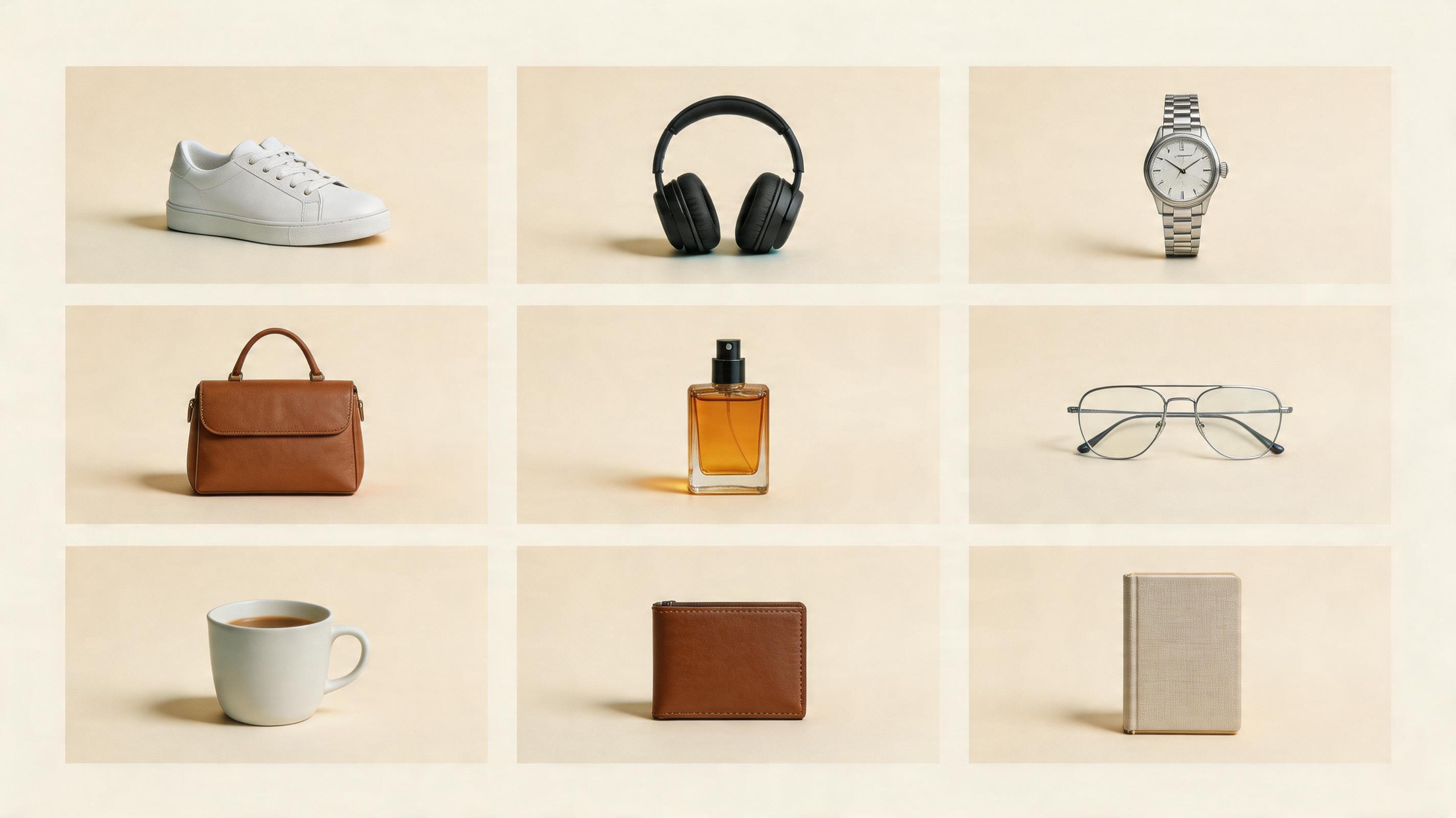
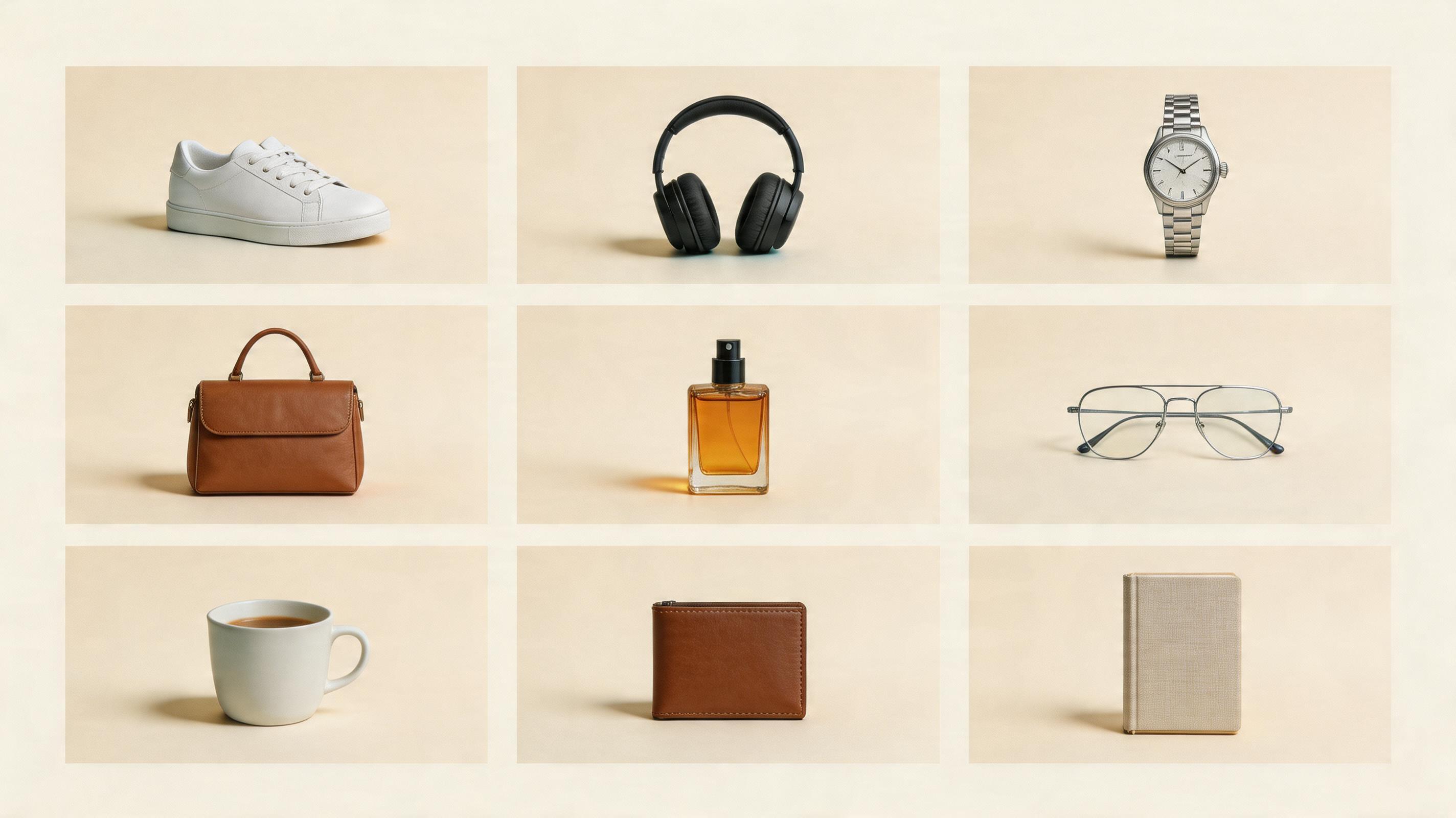
图 1:白底主图要故意无聊
白底主图不是给设计师炫技的。
它的任务是让买家确认:这个商品到底是不是他想买的那个。
我会这样写:
Create a clean ecommerce hero product image from the uploaded product reference.
Product accuracy:
Preserve the exact shape, color, logo placement, label, and material. Do not redesign the product.
Scene:
Pure white or very light neutral background, product centered, realistic contact shadow, no props, no text.
Camera:
Front 3/4 angle, sharp focus, commercial catalog lighting.
QA:
No extra objects, no fake labels, no distorted edges.这里最重要的不是“高级”,而是“不变形”。
球鞋不能换鞋底。
耳机不能多一个传感器。
护肤品不能换瓶型。
饮料罐不能把标签改成另一个品牌。
白底图越克制,越适合做商品页的稳定锚点。
图 2:场景图要服务使用场景,不是堆道具
场景图最容易变成 AI 味。
模型会加木桌、绿植、阳光、咖啡杯、丝绸、石头、水滴。看起来很丰富,但买家不一定更想买。
我现在会先问一句:
这个商品最常出现在哪里?
比如:
- 运动鞋:街头、跑道、健身房、通勤路上。
- 耳机:地铁、办公桌、通勤包、咖啡店。
- 护肤品:梳妆台、浴室、旅行洗漱包。
- 饮料:冰桶、沙滩、便利店、户外餐桌。
- 小家电:厨房台面、租房公寓、办公室。
提示词可以这样写:
Create a lifestyle ecommerce image using the uploaded product as the exact reference.
Scene:
Place the product in a believable [usage environment]. The environment should explain how the product is used, not just decorate the image.
Product:
Keep the product geometry, color, label, logo, and material accurate. The environment may change, but the product may not.
Composition:
Product remains the hero. Background supports the use case and stays secondary.这句话我会反复写:
The environment may change, but the product may not.它能明显减少“商品被 AI 偷偷改掉”的问题。
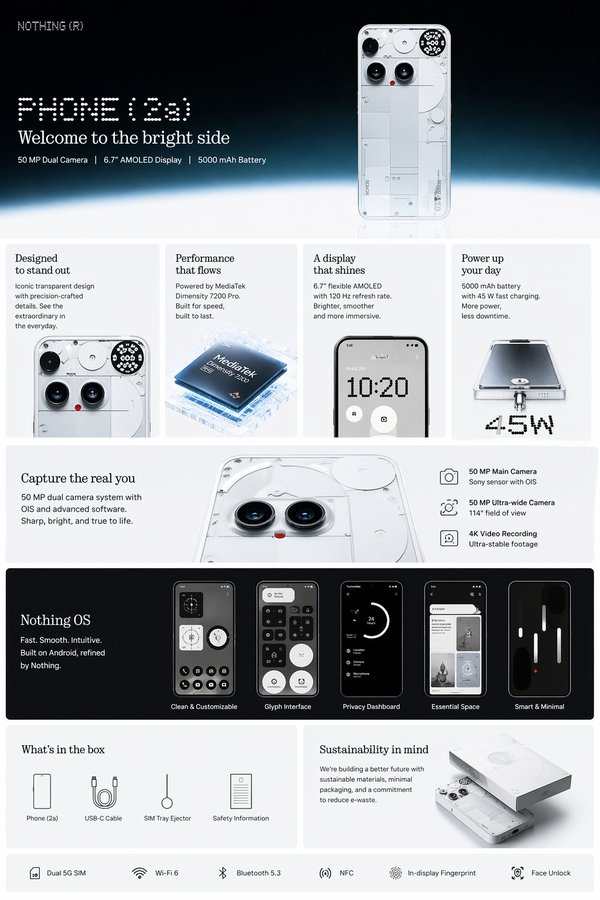
图 3:详情页卖点图最多写 3 个点
详情页图最容易被运营写满。
一张图里放 8 个卖点、4 个图标、2 个参数表,再加一句口号,最后手机上根本看不清。
AI 会让这个问题更严重,因为模型很愿意把图塞满。
我会强制限制:
Create a clean product-detail infographic from the uploaded product reference.
Layout:
Use a vertical ecommerce detail-page layout. Product hero at the top, 3 feature callouts maximum, short labels only, thin leader lines, enough white space.
Text:
Use concise feature labels. No paragraphs inside the image.
QA:
Do not invent unsupported specs, certifications, discounts, ingredient percentages, or app screens.三个卖点通常够了。
如果一张图需要讲十件事,那它不应该是一张图,它应该拆成三张详情页模块。
图 4:小红书和抖音封面要提前留标题区
很多商品图在商品页好看,放到小红书和抖音封面就不行。
原因很简单:封面需要标题区。
如果产品塞满整张图,你后期加标题会压到主体。
如果背景太花,标题会读不清。
如果人物、产品、文案都抢中心,封面就没有点击点。
我会这样写:
Create a 3:4 social-commerce cover image from the uploaded product reference.
Composition:
Place the product in the lower two-thirds. Leave a clean title area in the upper third. The image should still work after a mobile app crop.
Style:
Bright, clean, modern Chinese ecommerce visual style. Strong product clarity, not cluttered.
Text:
Do not fill the image with many words. Reserve space for a short Chinese headline to be added later.注意:我通常不让 AI 一次性把所有中文标题都写死。
更稳的做法是:
- 让 GPT Image 2 先做主视觉。
- 保留标题区。
- 重要中文文字后期用设计工具或网站编辑流程加上。
AI 负责画面,人工负责最终文字,是目前更稳的商业流程。
我会直接复用的完整提示词
如果你只想先跑第一版,可以用这个:
Create a 3:4 ecommerce product image set from one uploaded product reference.
Product accuracy:
Preserve the exact product shape, label, color, logo placement, material texture, and key silhouette. Do not redesign the SKU.
Output direction:
Create one clean commercial product visual that can work as the starting point for a marketplace listing. It should feel suitable for Taobao, Tmall, JD, Pinduoduo, Douyin Shop, Xiaohongshu, or a Shopify product page.
Composition:
Product is the hero. Use realistic studio lighting, soft contact shadow, clean background, and enough negative space for later headline or callout text.
Commercial constraints:
No fake claims. No invented specs. No extra logos. No unreadable small text. No distorted product proportions.如果要生成整套,不要一次要 7 张。
按顺序跑:
- 白底主图
- 棚拍质感图
- 使用场景图
- 详情页卖点图
- 小红书/抖音封面
- 广告主视觉
- 备用裁切图
每一步都检查商品是否变形。
发布前的 30 秒检查
我不会让 AI 商品图直接上架,除非它通过这 7 个问题:
- 商品外形还和参考图一致吗?
- Logo、标签、接口、鞋底、瓶身、包装有没有变?
- AI 有没有编造规格、认证、功效、折扣?
- 手机屏幕上能不能两秒看懂?
- 这张图解决的是哪个购买问题?
- 裁成 1:1、3:4、4:5 后主体还安全吗?
- 它适合商品页,还是只适合做广告草图?
这比“好不好看”更重要。
FAQ:AI 商品图常见问题
AI 商品图可以直接上淘宝或抖音小店吗?
可以作为草图、背景图、场景图和部分详情页素材,但主图是否能直接上架取决于商品准确性、平台规则和类目要求。我的建议是:越靠近成交和合规,越要人工 QA。
AI 商品图最适合哪些品类?
标准化外观、包装清晰、材质不极端依赖微距真实感的品类更适合,比如小家电、日用品、配饰、消费电子配件、饮料包装、部分美妆个护。
商品主图和产品海报有什么区别?
商品主图负责“看清商品”,产品海报负责“让人想点”。主图应该克制,海报可以更有情绪。不要用同一条提示词做两件事。
中文卖点要不要直接让 AI 写在图里?
短标题可以尝试,但关键价格、活动、规格、主办方、功效声明最好后期人工加。商业图片里,中文文字准确性比视觉惊艳更重要。
The Bottom Line
AI 商品图不是一句“帮我做高级一点”就能稳定出图。
真正可复用的流程是:
先定义这张图在商品页里的任务。
再写对应提示词。
最后检查商品准确性、文字准确性和平台适配。
GPT Image 2 能把商品图套图的探索速度提高很多,但它不是免审稿工具。
你越像电商运营一样提需求,它越像一个能交付的商业视觉助理。
Frequently asked questions
Do I need a credit card to try GPT Image2 Studio?
No. Every new account starts with 30 credits on signup, then unlocks 30 more after the first successful image. Paid plans only kick in if you want more than the free ceiling.
Can I use the generated images commercially?
Yes. Every tier — including the free starter credits — comes with full commercial rights. Run ads, sell products, print on merchandise, publish on any platform. No watermark, no attribution required.
Which model should I route to for what?
Hero ads and text-heavy creative → GPT Image 1.5 (high). Product and macro texture work → Nano Banana Pro. High-volume social iteration → Nano Banana 2. Fast drafts and mood boards → Z Image. Our workbench routes one prompt across all of them in one click.
How fast is a single generation?
Z Image returns in ~10 seconds. Nano Banana 2 in 15–20. Nano Banana Pro and GPT Image 1.5 (high) in 30–45 for standard quality, up to a minute for 4K high-quality. Parallel runs across all models take the same wall-clock time as the slowest one.
What's the difference between GPT Image 1.5 (high) and Nano Banana 2?
On the April 2026 ImagineArt 2.0 Arena, GPT Image 1.5 (high) sits at 1275 ELO, Nano Banana 2 at 1264 — inside each other's confidence intervals (an 11-point gap with ±10/±11 CI means the order can flip on any given week). GPT Image 1.5 (high) wins decisively on text inside images; Nano Banana 2 is 2–3× faster and half the API cost.
Can I edit an existing image instead of generating from scratch?
Yes. All top-3 models support image-to-image and masked editing. Upload your reference, draw a mask over the region you want changed, and prompt the edit. The Nano Banana family and GPT Image 1.5 both preserve product geometry when given a reference — important for commercial product work.
Stop guessing the model.
Run all three.
We route your prompt to GPT Image 1.5 (high), Nano Banana 2, Z Image and more — same workbench, same prompt, side-by-side blind compare. 30 credits on signup, another 30 after your first successful image, and commercial rights at every tier.
30 + 30
Free credits
5+
SOTA models
30s
To first render