AIで商品プロモーションポスターを作るなら、派手さより先に見るべきこと
AIで新品ポスター、売り訴求ポスター、SNS広告、キャンペーン画像を作る実践ガイド。商品を見やすく、見出しを読みやすくする方法。

Emily Rodriguez
·2 min read
以前は、商品ポスターを見るときにこう考えていました。
もっと派手にできるか。
でも、この考え方は危険です。
AIは派手な画像を作るのが得意です。強い光、大きな文字、反射、映画のような背景。
ただし、実際の広告やSNSに置くと問題が出ます。
商品が分かりにくい。見出しが小さい。売りがぼやける。スマホで見ると読みにくい。
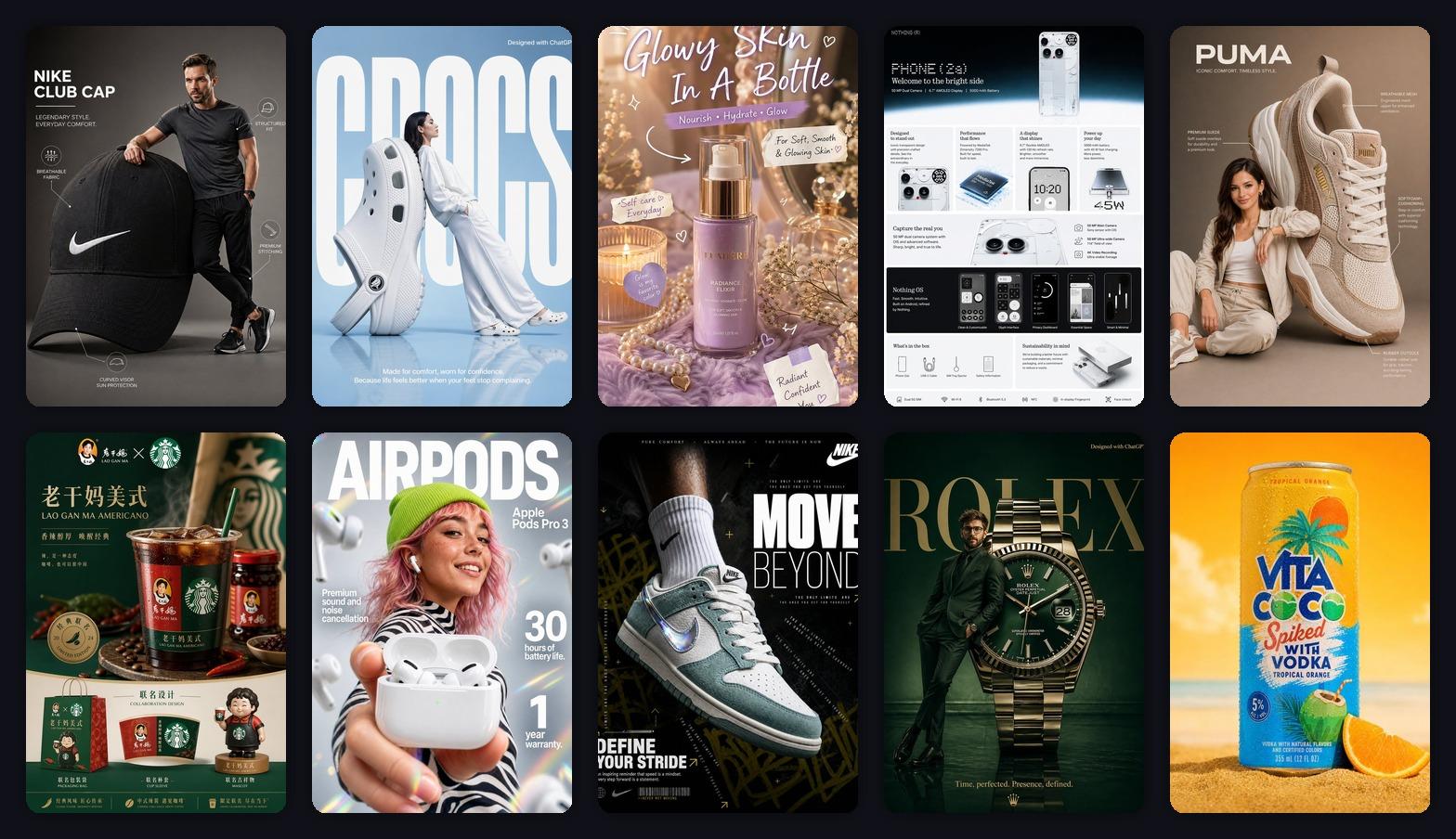
そこで、12枚の商品プロモーションポスターを作り、別の基準で見ました。
2秒で商品とクリックする理由が伝わるか。
まずポスターの役割を決める
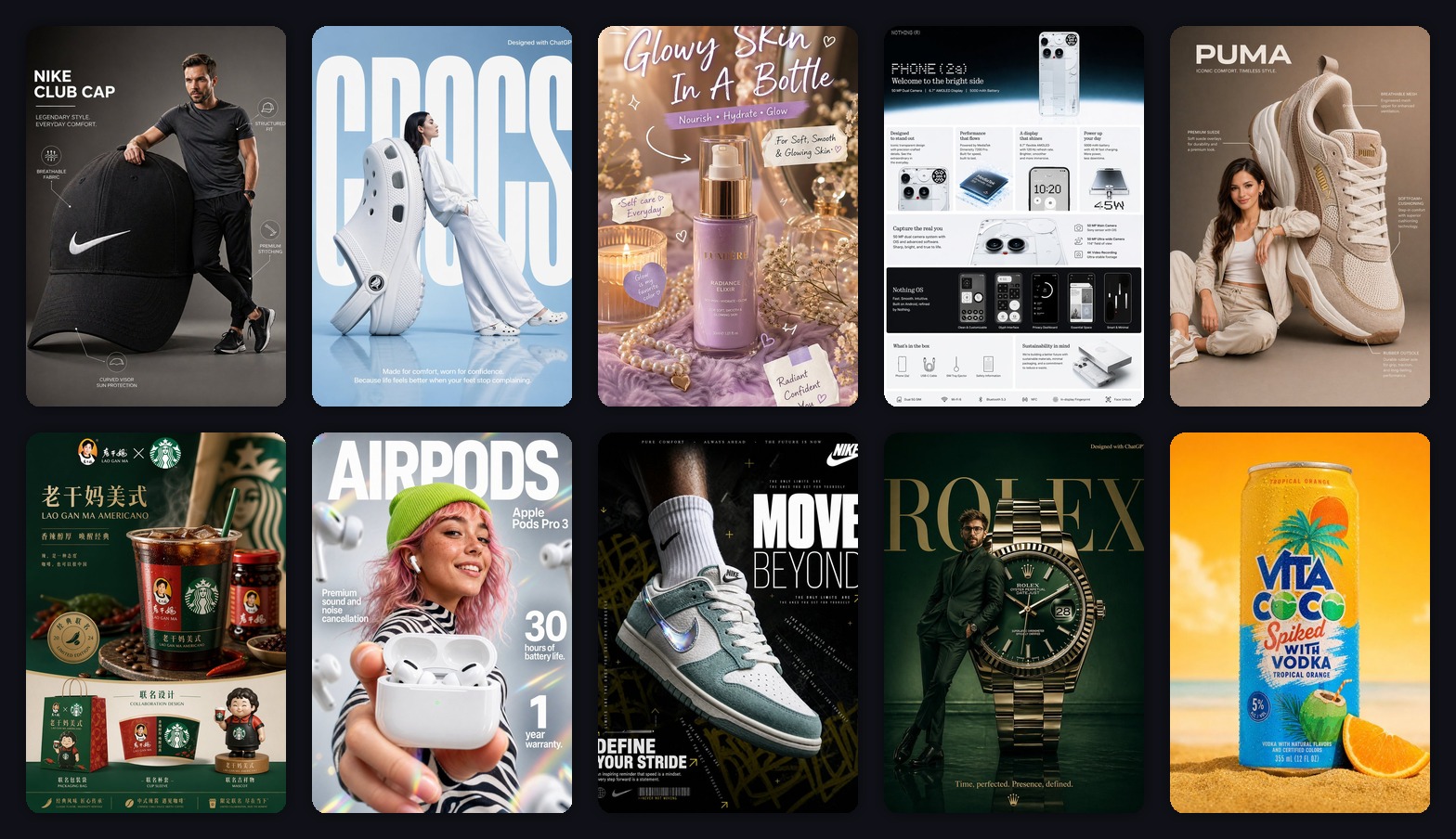
商品プロモーションポスターには種類があります。
- 新品ポスター:新しさを伝える。
- 売り訴求ポスター:買う理由を一つ伝える。
- SNS広告:スクロールを止める。
- キャンペーン画像:発売、セール、ライブ配信、季節企画に使う。
役割が違えば、プロンプトも変わります。
商品プロモーションポスターを生成する
商品参考画像をアップロードして、3:4の縦型プロモーションポスターから始めます。
1. 新品ポスターは商品を主役にする
新品ポスターで失敗しやすいのは、背景が商品より目立つことです。
このスニーカーポスターは、商品が大きく見えるので使いやすいです。
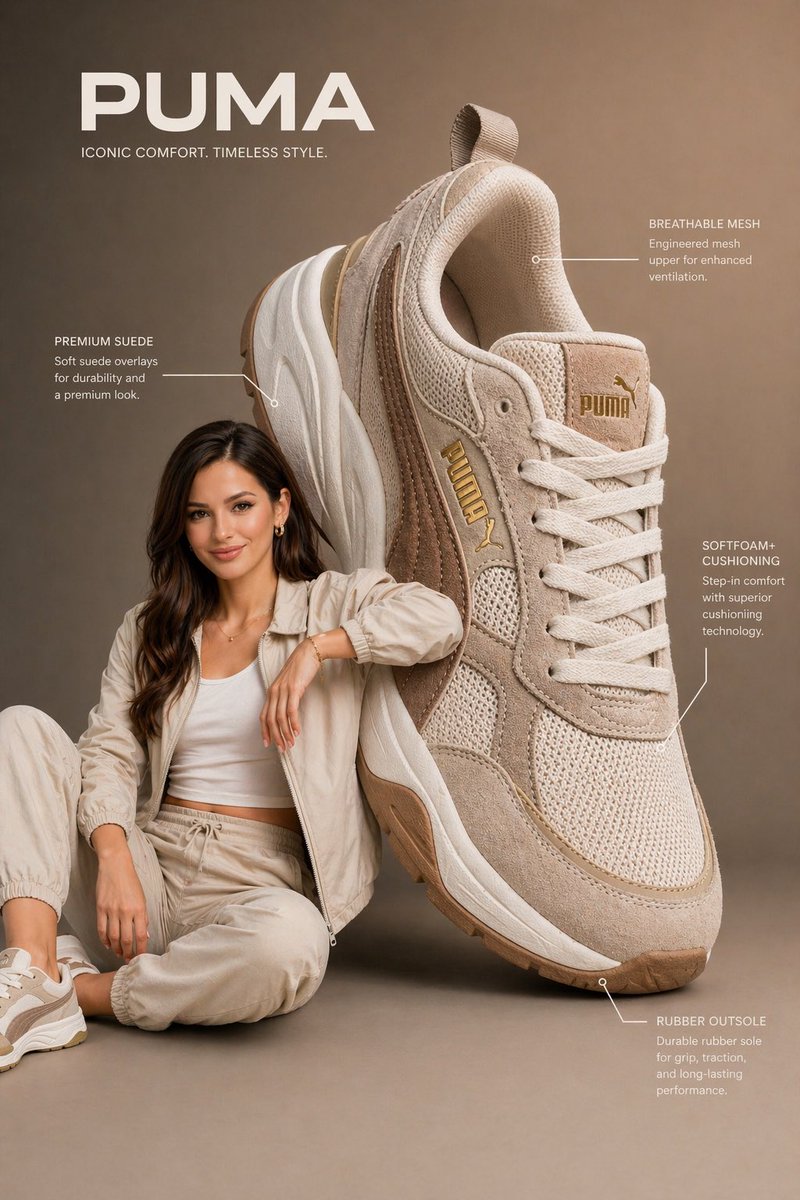
Create a vertical 3:4 new product launch poster.
Use the uploaded product as the hero object.
Make the product large, sharp, and premium.
Add a clean studio background, soft shadow, one short headline, and 3 small feature labels.
Leave enough empty space for final title text.
2. 売り訴求は一つに絞る
1枚の画像で全部言おうとすると、ただのノイズになります。
ドリンクなら、夏の爽快感だけで十分です。
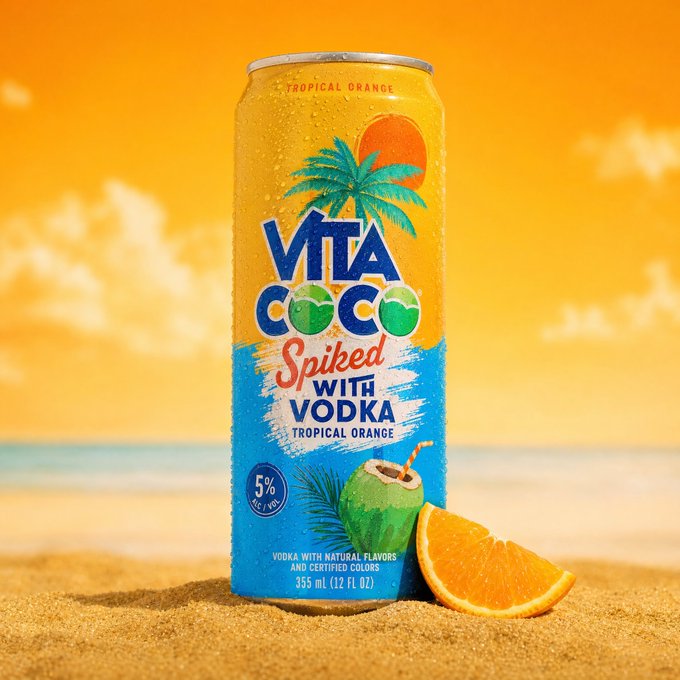
Create a vertical 3:4 product promotion poster.
Main feeling: fresh summer drink.
Use bright sunlight, ice, fruit, beach colors, and a clean product hero.
One short headline only.
Make it feel refreshing and easy to understand at phone size.
3. SNS広告はスマホで判断する
SNS広告は、スマホのフィードで見られます。
大きな主役、短い見出し、強いコントラストが必要です。
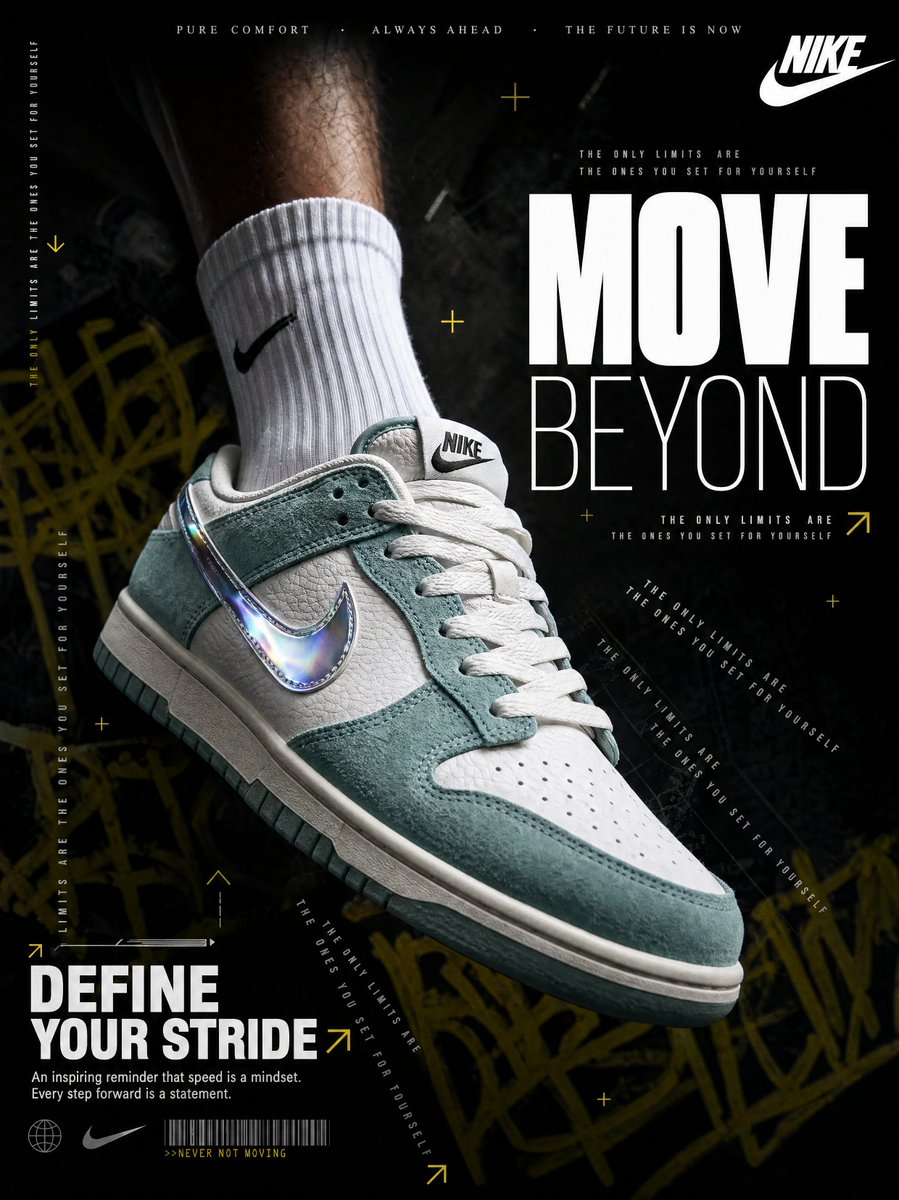
Create a high-impact social ad poster for the uploaded product.
Use dark dramatic lighting, a giant readable headline, and one clear benefit line.
Keep the product large and recognizable.
Design for mobile feed scrolling.
The Bottom Line
商品プロモーションポスターは、派手なほど良いわけではありません。
本当に使える画像は、だいたいコントロールされています。
- 商品が主役
- 売りが一つ
- 見出しがスマホで読める
- 最終コピーを入れる余白がある
AIは方向出しに強いです。
最後に残すべきなのは、買う理由が伝わる画像です。
よくある質問
GPT Image2 Studio の無料試用にカードは必要ですか?
必要ありません。新規登録で30クレジット、最初の画像生成に成功するとさらに30クレジットを受け取れます。追加利用が必要な場合のみ有料プランを選べます。
生成した画像は商用利用できますか?
はい。無料のスタータークレジットを含め、各プランで商用利用が可能です。広告、商品ページ、印刷物、SNS投稿に使えます。ウォーターマークや必須クレジット表記はありません。
どのモデルを選べばいいですか?
文字入り広告やヒーロービジュアルは GPT Image 1.5 high、商品質感や細部は Nano Banana Pro、大量のSNS案は Nano Banana 2、素早いラフ制作は Z Image が向いています。同じプロンプトで並べて比較できます。
1枚の生成にはどのくらい時間がかかりますか?
Z Image は約10秒、Nano Banana 2 は15〜20秒、Nano Banana Pro と GPT Image 1.5 high は標準品質で30〜45秒ほどです。4K高品質では1分前後かかる場合があります。
GPT Image 1.5 high と Nano Banana 2 の違いは何ですか?
GPT Image 1.5 high は画像内テキストや広告品質に強く、Nano Banana 2 は高速でコストを抑えやすいモデルです。制作では同じプロンプトで比較して選ぶのが安全です。
既存画像の編集もできますか?
できます。参照画像をアップロードして、画像から画像への生成、部分編集、背景削除、不要物削除、圧縮まで同じ流れで進められます。
モデル選びで迷わない。
まとめて比較できます。
同じプロンプトを GPT Image 1.5 high、Nano Banana 2、Z Image など複数モデルで比較できます。ひとつのワークベンチで、納品に使える画像を素早く判断できます。登録で30クレジット、最初の成功生成後に追加30クレジット。商用利用権も各プランに含まれます。
30 + 30
無料クレジット
5+
主要モデル
30s
初回生成まで